Sessions
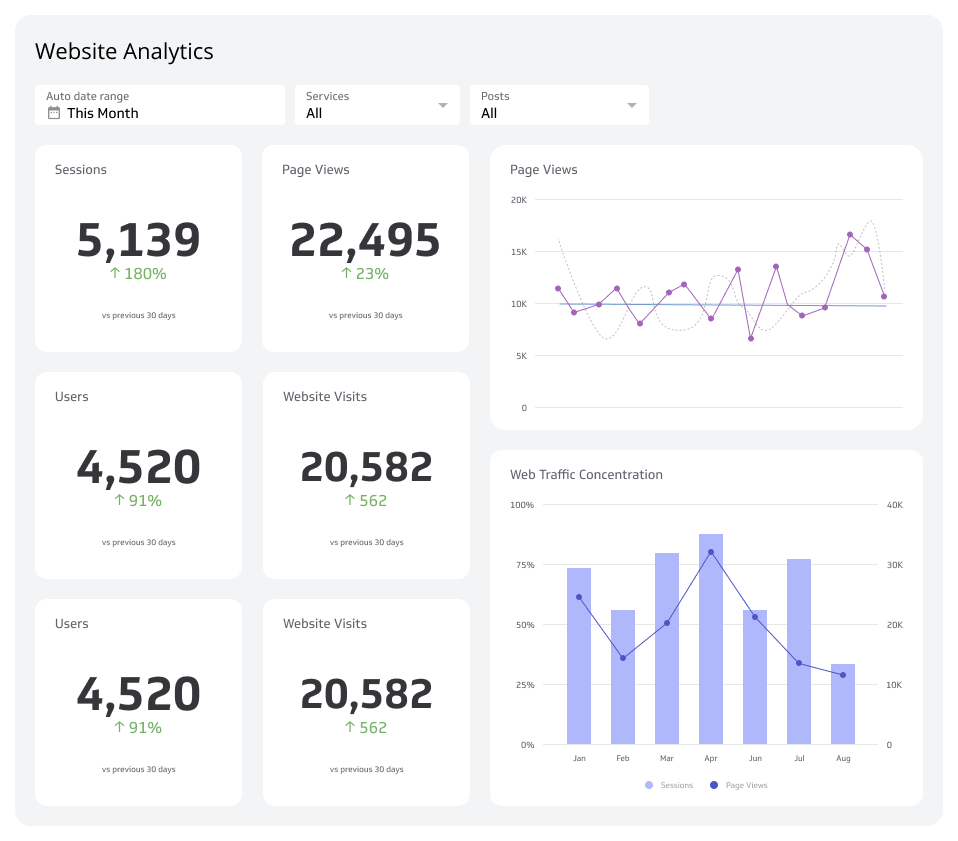
Sessions track every period of user activity on your site or app, from arrival to exit, so you can see who's showing up, what they're doing, and whether your digital presence is working.
Sessions by device
A session is a single period of activity a user completes on a website or app, from the moment they arrive to the moment they leave or go inactive.
Sessions tell you who is showing up, what they're doing, and whether your site or app is working. That makes Sessions one of the most foundational metrics in digital marketing.
What is a session?
A session is a defined window of user activity on a website or app. It begins when a user arrives and ends when they leave or remain inactive beyond a set threshold, typically 30 minutes.
Within that window, every page view, click, and transaction is recorded. Sessions don't identify who someone is. They track what a user does.
Google Analytics, for example, ends a session after 30 minutes of inactivity or when a user leaves the site. Other platforms apply similar logic, though the exact rules vary.
The sand pail analogy
Think of each website or app as a separate sand pail. Everything you do inside it, visiting pages, clicking links, viewing products, is an item you drop in.
Visit ESPN's site and you've opened a pail. Click through to a sports page and you've added an item. Click an external advertising link and the ESPN pail closes. A new one opens.
The same logic applies to apps. Open an app and a session starts. Close it or switch away for more than 30 minutes and the session ends.
What is a web session?
A web session is the time a user spends on a website during a single visit. Sessions can start in several ways.
Direct address input: A user types a URL directly into a browser. The session starts when the page loads and ends when they leave the site or navigate to an external link.
Link clicks: Clicking an ad or referral link opens a new session on the destination site. Every page the user visits on that site extends the same session.
Search results: Clicking a result from a search engine starts a session on the destination page. That session continues as long as the user stays on the site.
Internal links: Links embedded in documents or other pages work the same way. The session begins when the user lands on the linked site and ends when they leave.
Every session captures page visits, button clicks, and any transactions completed during that window.
Users versus sessions
A user is an individual visitor. A session is the time that user spends on a site during a single visit. The two don't map one-to-one.
One user can generate many sessions. A user who checks your site three times in a day creates three sessions. Another user might open your site and leave it running for hours, creating one long session.
Separating users from sessions is an important digital marketing metric. It tells you not just how many people are coming, but how often they return and how long they stay.
What is an app session?
An app session begins when a user actively engages with an app and ends when they stop or switch away. The definition is trickier than it sounds because users rarely interact with just one app at a time.
Most analytics tools treat an app session as active only when the app is in the foreground. Background activity, like a music app playing while you browse, doesn't count toward that app's session time.
Create custom dashboards for you and your team.
Get started with KlipsHow an app session is measured
If you have five apps open simultaneously, only the one you're actively using generates session time. Switching to another app pauses the first session. If you return within 30 minutes, the session resumes. If more than 30 minutes pass, a new session begins.
This approach handles the reality of how people actually use devices, toggling between apps, leaving them open, and returning throughout the day.
Why track sessions?
On their own, sessions are just numbers. The value comes from what they reveal when you look at patterns over time.
Sessions tell you whether people are finding your site, whether they're staying, and whether something is broken. A spike in sessions might mean a campaign is working. A spike in very short sessions might mean a link is sending people somewhere they didn't expect.
Waiting until the end of the month to check these numbers means you're reacting, not deciding. The teams that benefit most from session data have it in front of them consistently, not buried in a report they have to pull manually.
Website session tracking
Session data helps you build a picture of who your visitors are and what they want. A user who browses only trucks and SUVs on a used vehicle site tells you something useful. When enough users share that pattern, you have a customer profile worth acting on.
Session length is a signal too. Longer sessions often indicate genuine interest. Short ones can mean the content didn't match what the user expected.
Short session exceptions: A pattern of unusually short sessions isn't always noise. It can flag a broken link, a misleading ad, or a landing page that doesn't deliver on its promise. Catching that quickly protects your site's reputation and your ad spend.
App session value
App session data shows you how users engage with your app and whether it's earning a regular place in their day. Frequent, short sessions might mean quick utility. Long, infrequent ones might mean the app isn't sticky enough to pull people back.
Session volume also signals market size. An app with millions of daily sessions represents a very different opportunity than one with a few hundred.
How to track sessions effectively
Knowing sessions matter is one thing. Having reliable, up-to-date session data when you need it is another.
Most teams pull session numbers from GA4, their CRM, or their app analytics platform. The problem is that each tool lives in a different place. Getting a clear picture means logging into multiple platforms, exporting data, and assembling it somewhere, usually a spreadsheet.
That process introduces lag and errors. By the time the numbers are ready, they're already stale.
A dashboard that connects your data sources and keeps session metrics current means you're not waiting for someone to pull a report. You know what's happening, and you can act on it. Klips connects to 130+ data sources and keeps your metrics refreshed automatically, so session data is always ready when a decision needs to be made.
Sessions as a decision tool
Sessions are most useful when they're connected to outcomes. A rising session count is encouraging. A rising session count paired with a falling conversion rate is a signal to investigate. A drop in sessions from a specific channel might mean an ad campaign has run its course.
The metric doesn't make the decision. It gives you the confidence to make it yourself, without waiting for someone to pull a number or pasting raw data into a chatbot and hoping for an interpretation.
Track Sessions alongside related metrics like Bounce Rate, Average Session Duration, and Conversion Rate. Together, they tell a story about whether your site or app is doing what it's supposed to do.