Moz
Moz is an SEO platform for tracking Domain Authority, Page Authority, backlinks, and keyword opportunities. Connect Moz to Klipfolio to visualize your SEO performance in real-time dashboards alongside your other marketing data.
Track all your Moz KPIs in one place
Sign up for free and start making decisions for your business with confidence.
Tracking SEO data across multiple tools means constant tab-switching and manual exports. Connect Moz to Klipfolio and your most important metrics update automatically in one place.
How to connect Moz and build a dashboard
Connecting Moz to Klipfolio requires your Moz Access ID and Secret Key. Here's how to get started:
- Log in to your Moz Pro or Community account.
- Go to https://moz.com/products/api/keys and click Manage Mozscape API Key.
- Under Credentials, copy your Access ID and Secret Key.
- In Klipfolio, navigate to the Service Connectors page and select Moz.
- Choose a pre-built data source or select Create a custom Moz data source to build your own.
- Enter your Company URL, Access ID, and Secret Key, then click Get data.
- Confirm the data looks right, name your data source, set a refresh schedule, and click Save.
View the step-by-step setup guide
Top reasons to use Klipfolio for Moz dashboards
There's more to a Moz dashboard than pulling in a single metric. Here's what you gain by connecting Moz to Klipfolio:
See your SEO health at a glance. Track Domain Authority, Page Authority, external links, and top-performing pages in a single live dashboard — no manual exports needed.
Combine Moz with your other marketing data. Blend Moz metrics with data from Google Analytics 4, HubSpot, social media platforms, and paid channels to see the full picture of your marketing performance.
Start fast with pre-built templates. Use pre-built Klips from the Klip Gallery to get a working dashboard in minutes, then customize it to match your reporting needs.
Share results your way. Distribute dashboards via TV mode, scheduled PDF emails, public links, or embedded views — so stakeholders always have access to current data.
Refresh on your schedule. Set data refresh rates from 1 minute to 24 hours so your SEO metrics stay current without any manual intervention.
What Klipfolio adds to your Moz workflow
| What you do in Moz | What Klipfolio adds |
|---|---|
| Export reports manually to share with your team | Automated dashboards that update in real time |
| View metrics one domain at a time | Compare multiple domains or campaigns side by side |
| Analyze SEO data in isolation | Combine Moz data with paid, social, and web analytics |
| Build reports from scratch each month | Reuse and schedule dashboard reports automatically |
Stop exporting SEO data manually. Start tracking Moz metrics alongside all your marketing channels in one live dashboard.
Use pre-built Moz metrics
Assemble a Moz dashboard by selecting pre-built metrics from the Klip Gallery.
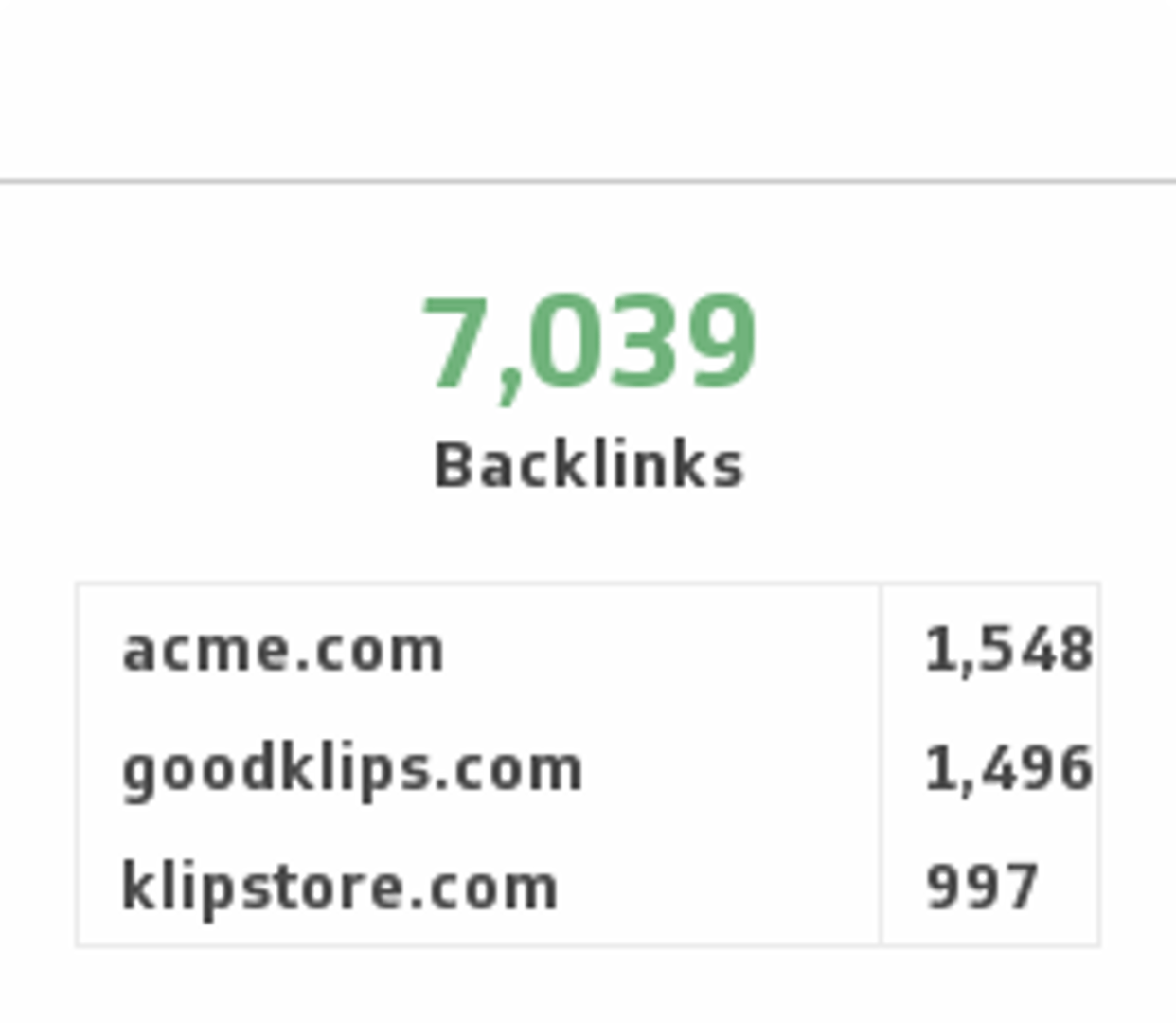
Backlinks
Monitor the number of backlinks to your website and compare it to your competitors.
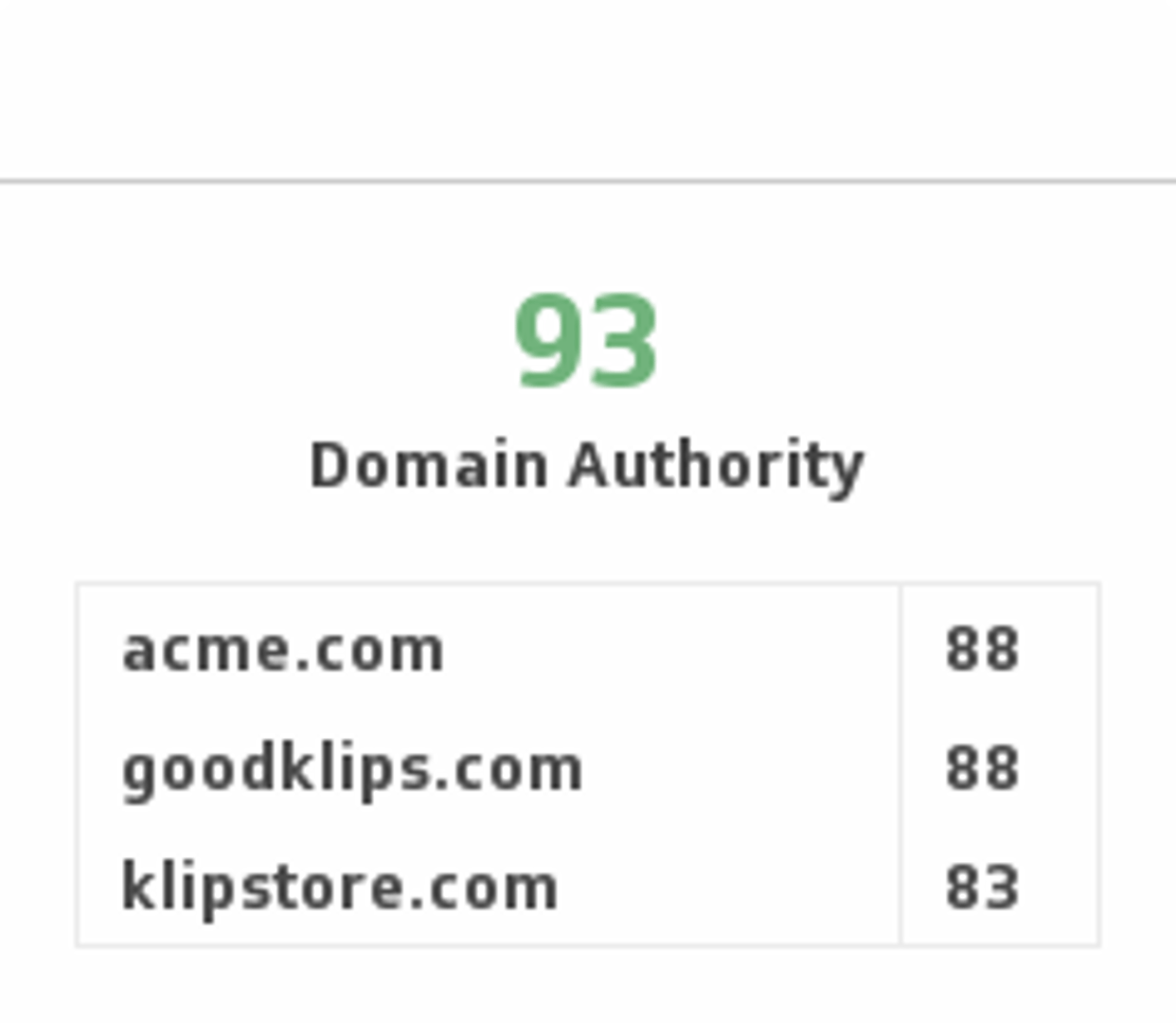
Domain Authority
Predict how well a website will rank on search engines by tracking Domain Authority and comparing it with competitors.
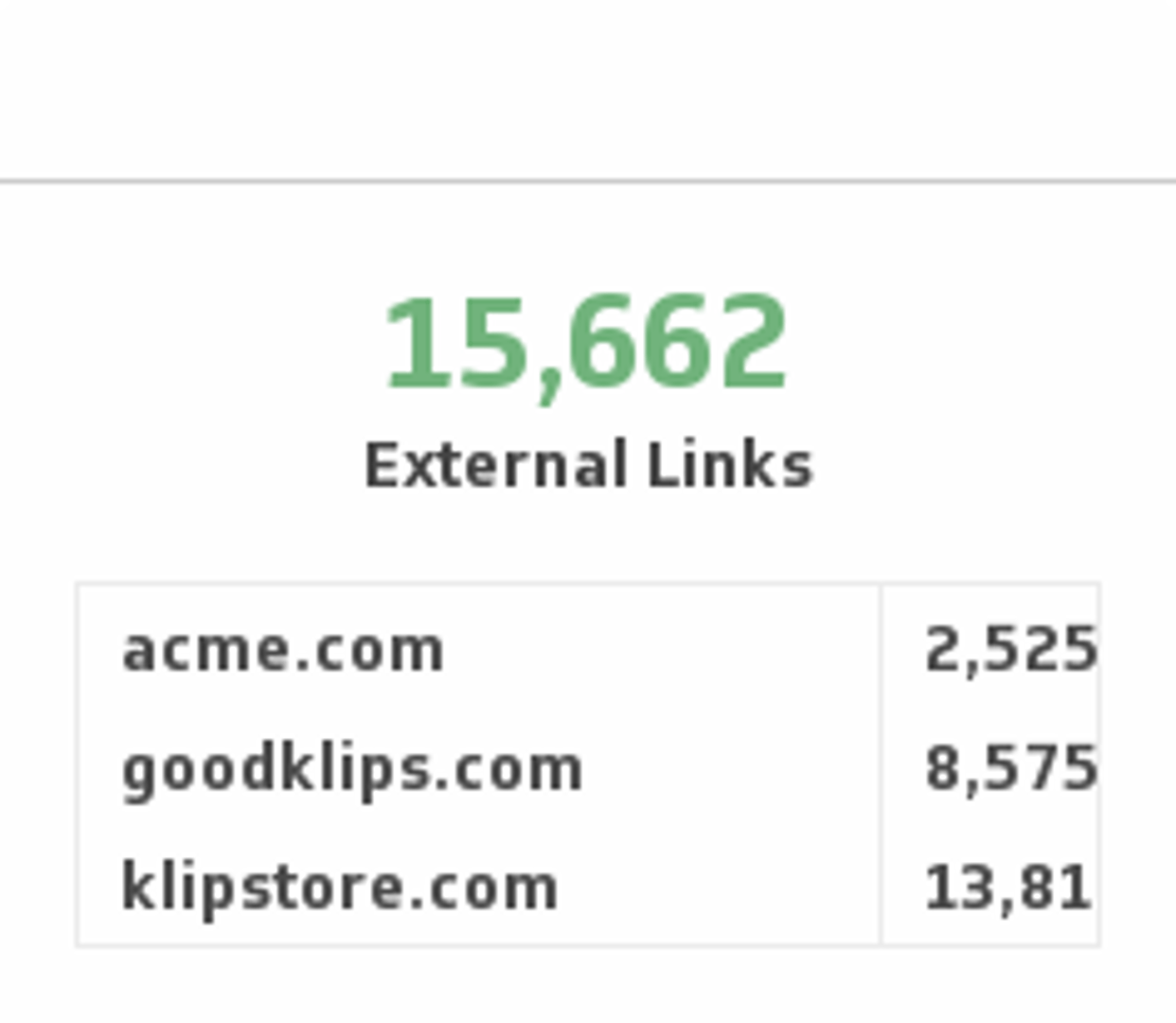
External Links
Monitor the number of external links to your site and compare it with your competitors.
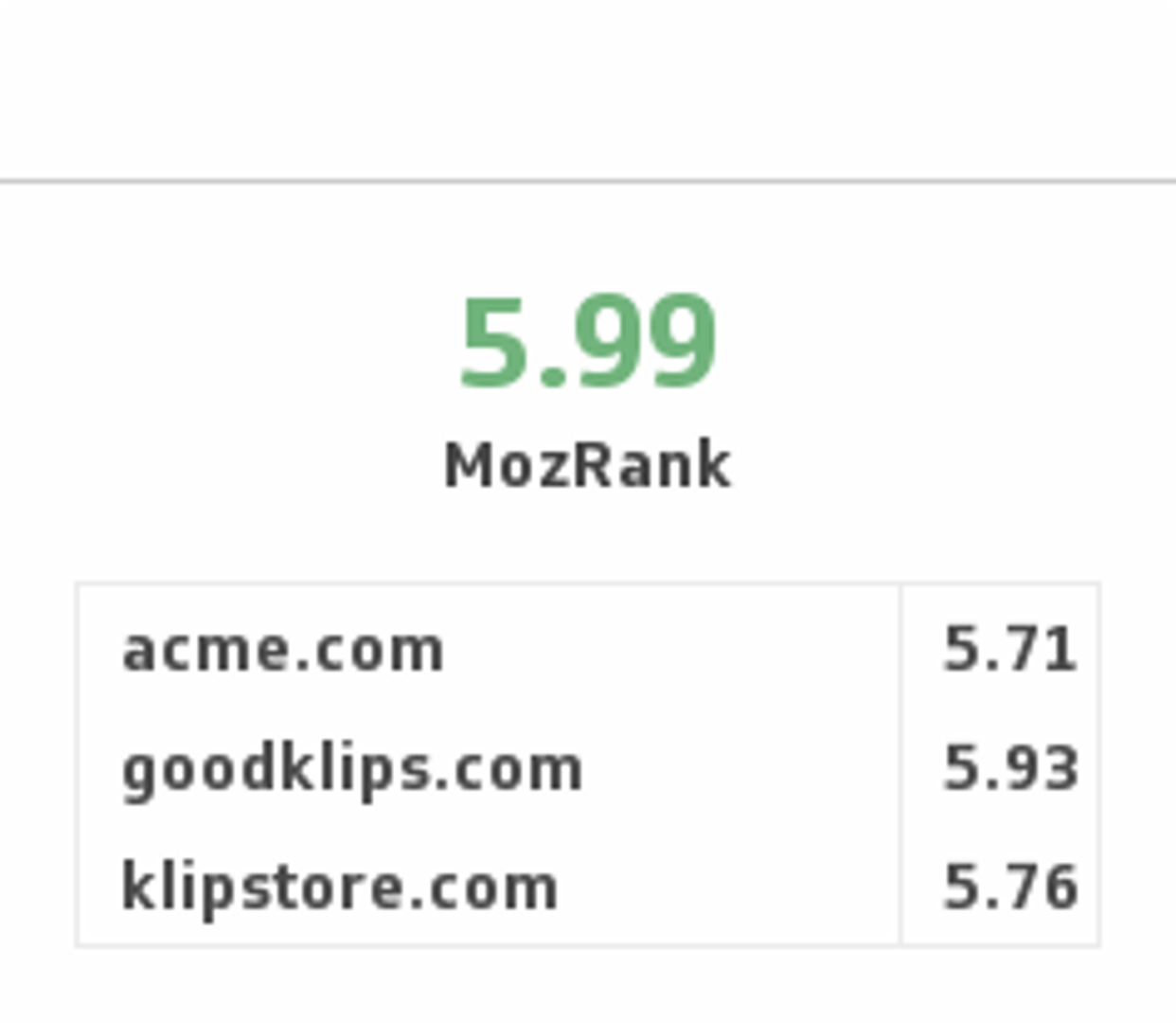
Moz Rank
Ensure you have high quality incoming links by monitoring your Moz Rank and comparing it with your competitors.
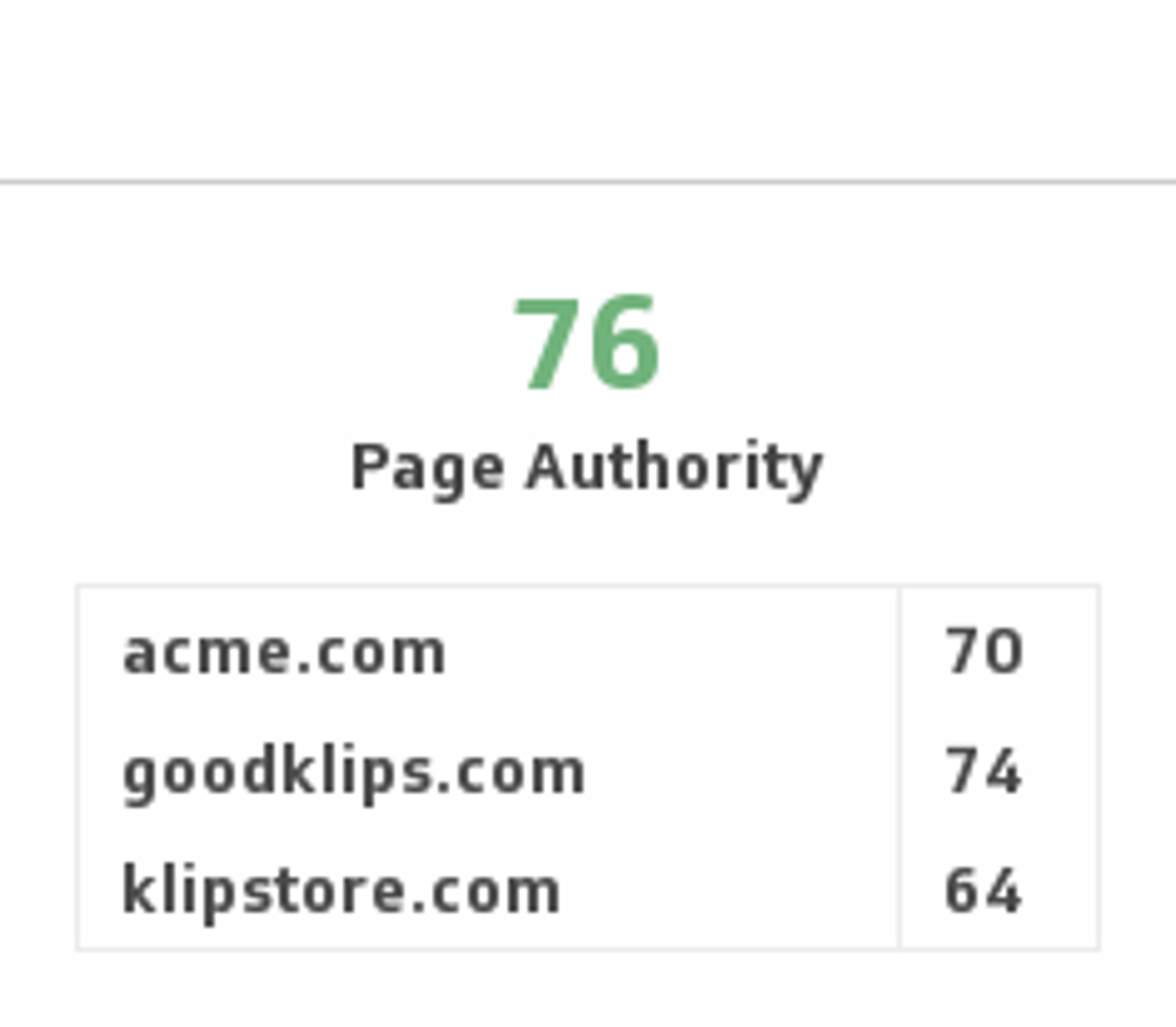
Page Authority
Compare your page authority with your competitors and predict where you stand on search engine rankings.
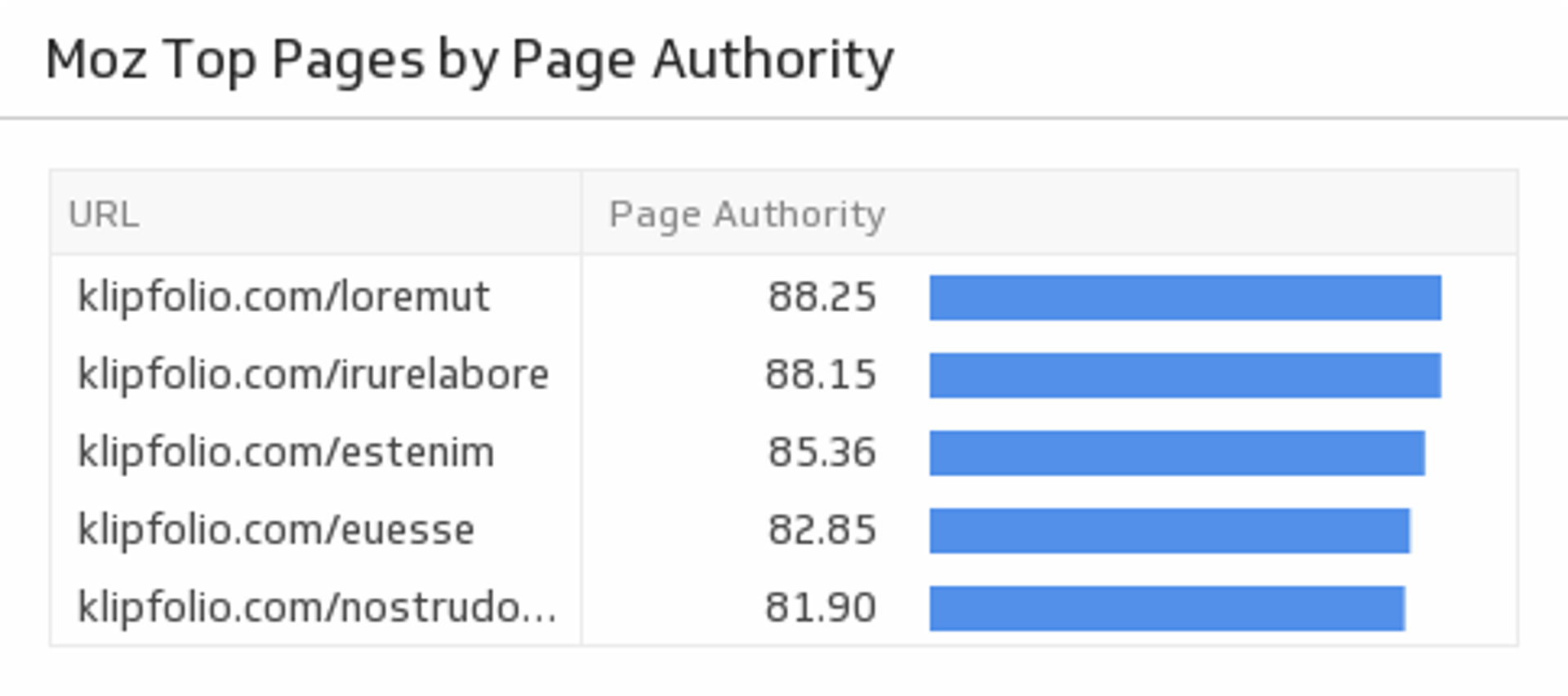
Top Pages by Page Authority
Discover the top pages on your website by ranking them by Page Authority. This Klip requires the Moz API paid subscription.

Use the Connector Gallery to create a custom Moz dashboard
With our Connector Gallery, you can create custom API queries to pull in data from your Moz account. Building custom queries allows you to specify the metrics and time periods that you want to track.
You can use custom queries to build out visualizations in Klipfolio. You can also combine your Moz data with other relevant data to create your custom dashboard.
Learn more about working with the Moz API and how you can start building your own Moz queries in Klipfolio.