Xero
Xero keeps your books current — invoicing, bank reconciliation, expense claims, and asset management all in one place. Connect Xero to Klipfolio and turn that accounting data into live dashboards your whole team can access, without manual exports or spreadsheet workarounds.
Track all your Xero KPIs in one place
Sign up for free and start making decisions for your business with confidence.
Tracking down your Xero data shouldn't mean digging through exports or reconciling spreadsheets by hand. Connect Xero to Klipfolio and your financial metrics update automatically in dashboards you can share with your whole team.
How to connect Xero to Klipfolio
Klipfolio connects to Xero via OAuth, so you'll authorize access directly through your Xero account — no API key required.
- In the left navigation sidebar, click the 3-dot menu beside Data Sources and select +New data source.
- On the Where is your data? page, select Xero.
- Click Connect an account, enter your Xero credentials, and log in.
- Select the organization you want to pull data from, name the connection, and click Apply.
View the step-by-step setup guide
Top reasons to use Klipfolio for Xero dashboards
Before you start building, read this blog for best practices on financial metrics and dashboard examples built with Xero data.
See your finances in real time. Xero updates your books as transactions happen. Klipfolio pulls that data on a schedule you set — as frequently as every minute — so your dashboard always reflects current numbers.
Combine Xero with your other tools. Blend Xero data with sources like Salesforce, Google Sheets, or any of Klipfolio's 130+ connectors to build a complete picture of business performance.
Share with your whole team. Distribute dashboards via TV mode, scheduled email, public links, or embedded views — without giving everyone access to your accounting software.
Build the metrics you actually need. Use pre-built Xero data sources to get started fast, or write custom API queries to pull exactly the data your team tracks.
Keep everything in one place. Replace one-off exports and disconnected spreadsheets with a single, centralized dashboard your team can rely on.
What Klipfolio adds to Xero
| What you do in Xero | What Klipfolio adds |
|---|---|
| Export reports manually as CSV or PDF | Automated dashboards that refresh on your schedule |
| View financials inside Xero only | Share live dashboards with any stakeholder, no Xero login required |
| Run one report at a time | Combine Xero data with Salesforce, spreadsheets, and 130+ other sources |
| Review historical snapshots | Monitor metrics in real time with configurable refresh rates |
Stop exporting reports and start monitoring your finances automatically. View the step-by-step setup guide and build your first Xero dashboard today.
Use pre-built Xero metrics
Assemble a Xero dashboard by selecting pre-built metrics from the Klip Gallery.
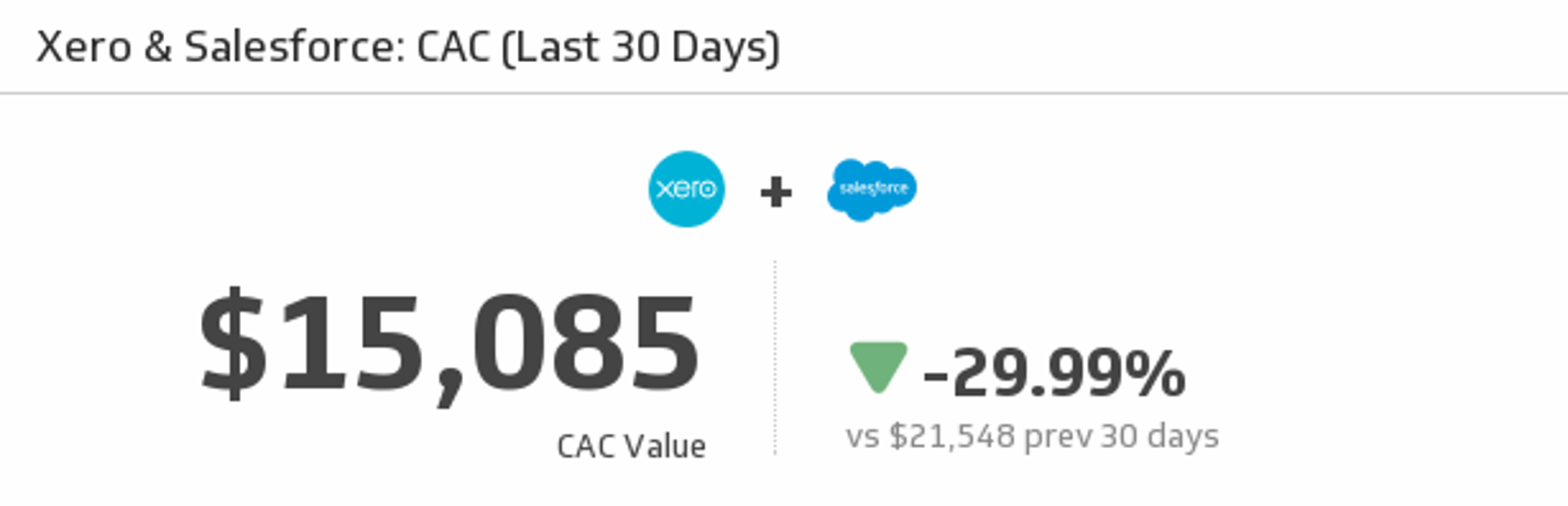
CAC (Last 30 Days)
Let this Klip address the most important question on your marketing team - what is our cost to acquire a customer (CAC)? This Klip uses your monthly Xero and Salesforce data to answer that very question.
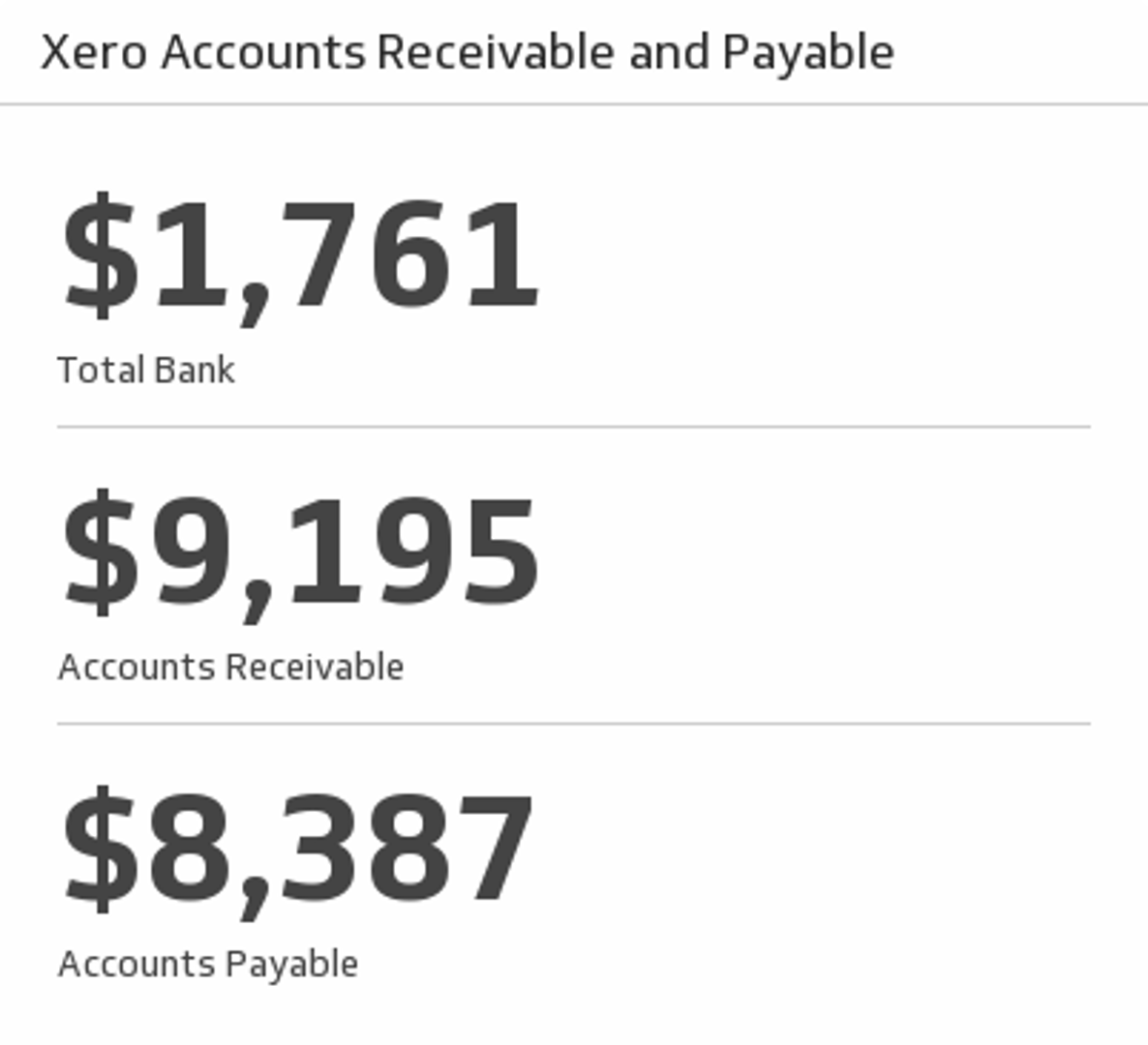
Accounts Receivable and Payable
Track your total bank balance, accounts receivable and payable for this month.
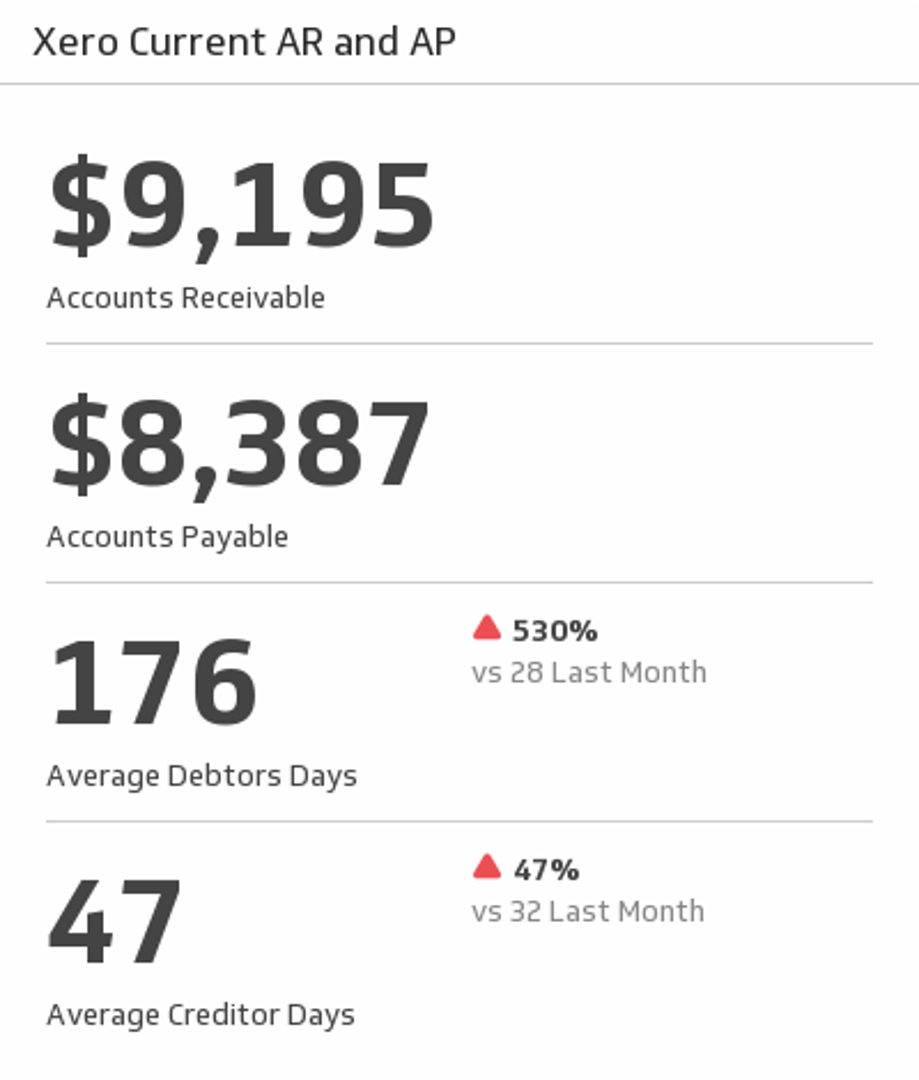
Current AR and AP
Track your Accounts Receivable and Payable for this month. Also, compare average debtors and creditors for this month and last month.
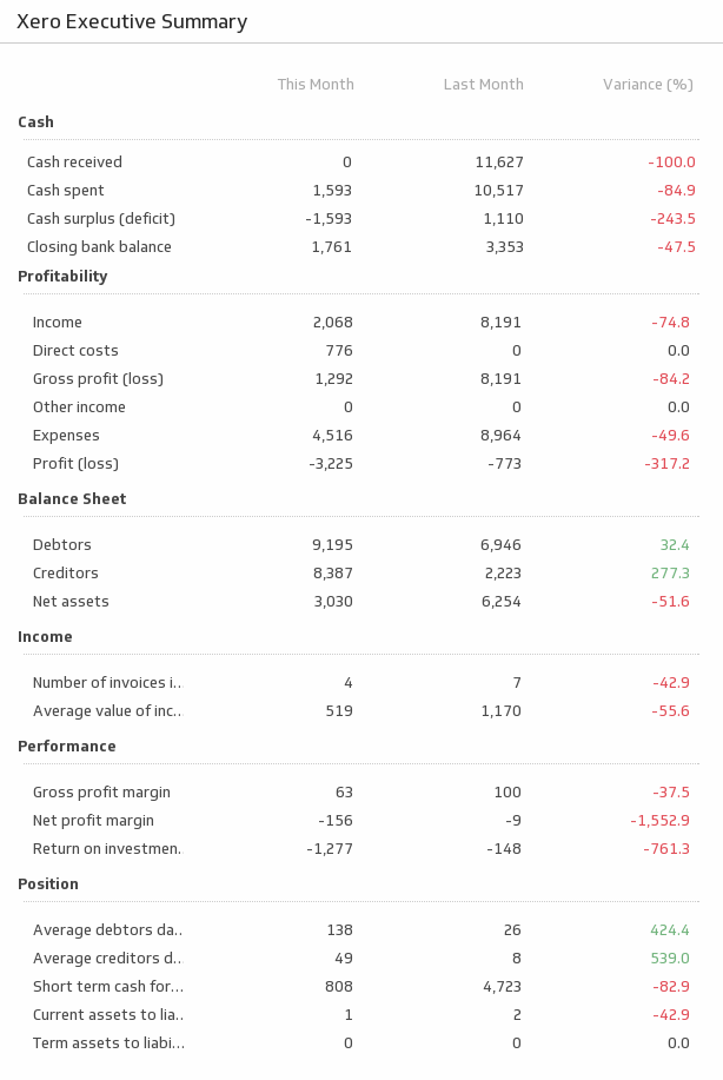
Executive Summary
This indispensable Klip provides an executive summary of your business metrics for this month and the last.
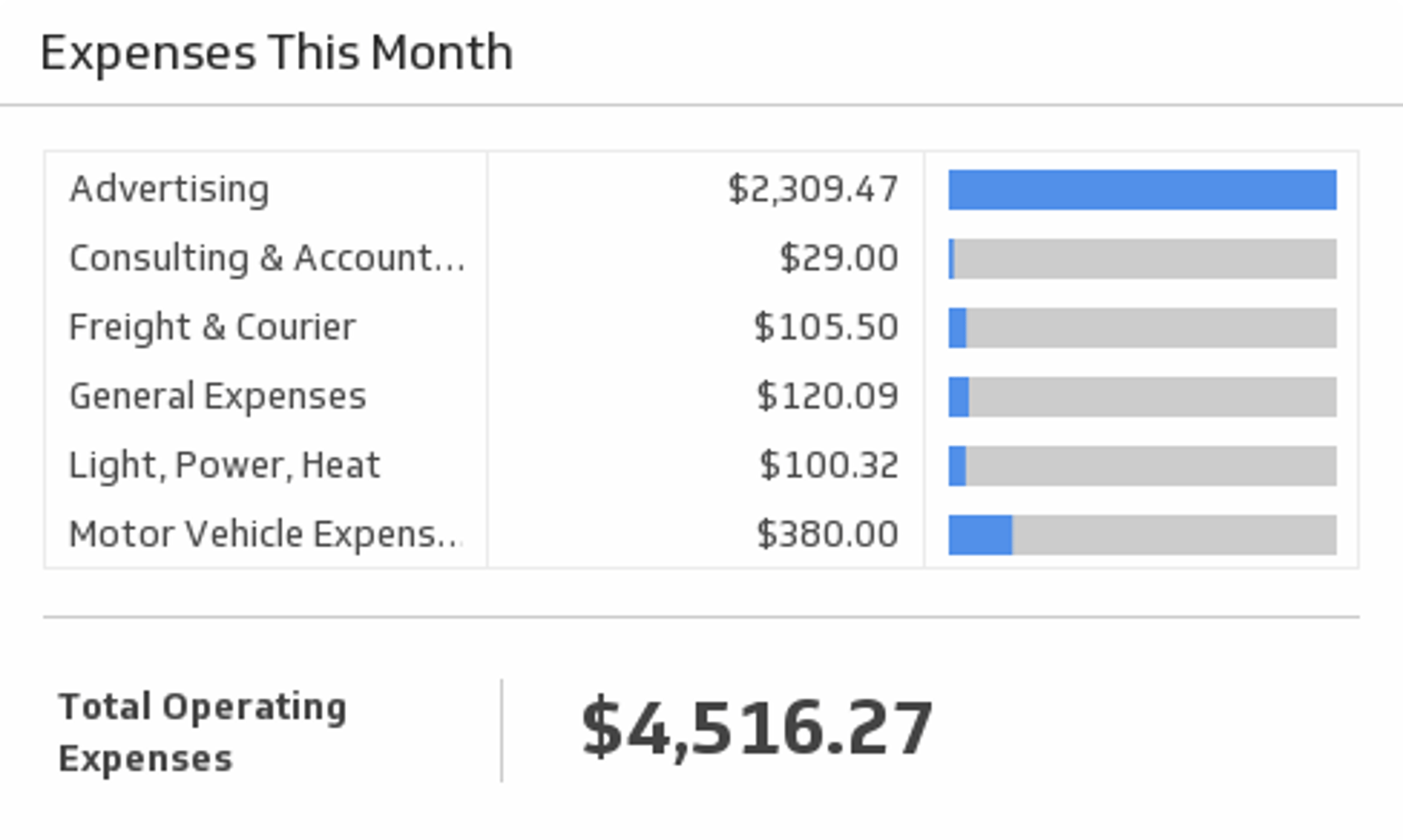
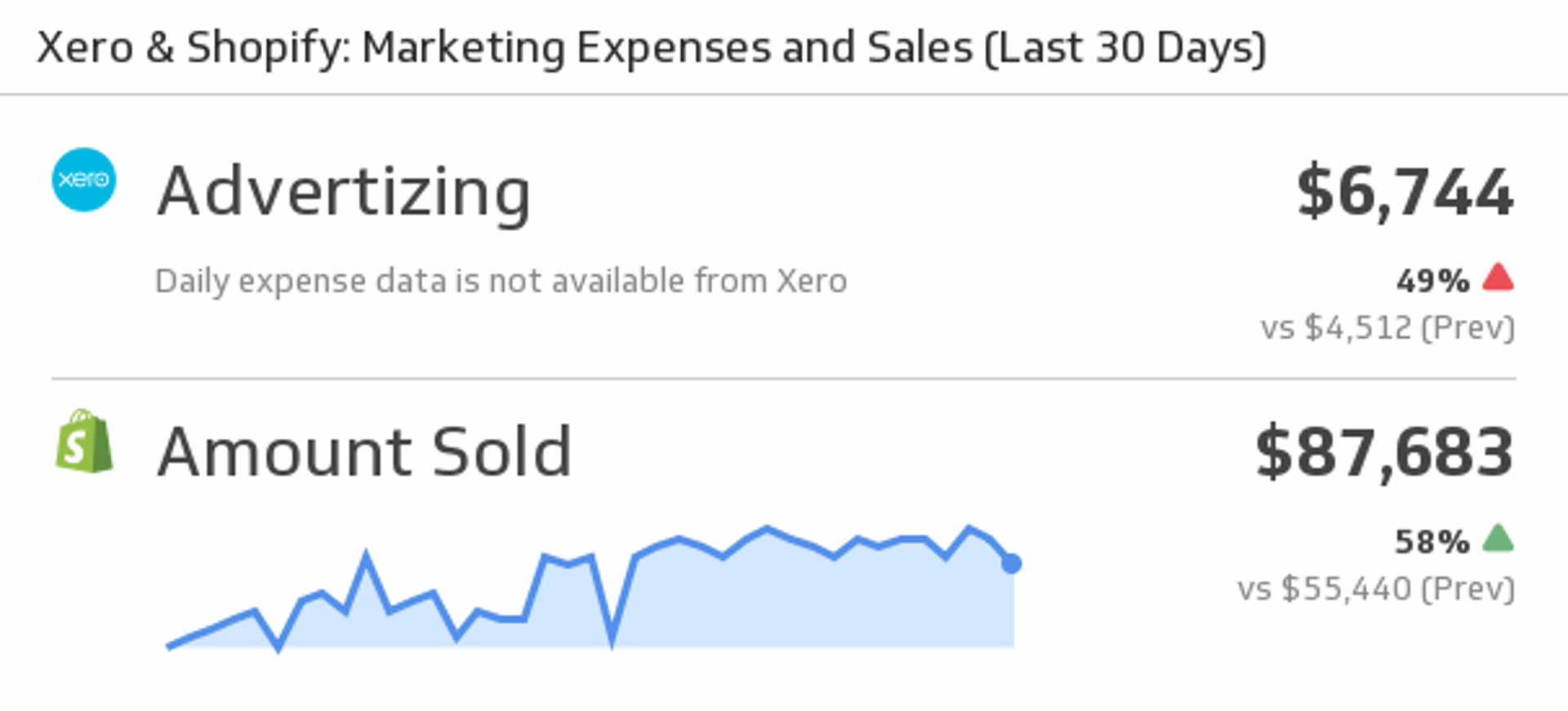
Marketing Expenses and Sales
Mash up your Xero and Shopify data by displaying Xero marketing expenses and Shopify Sales.
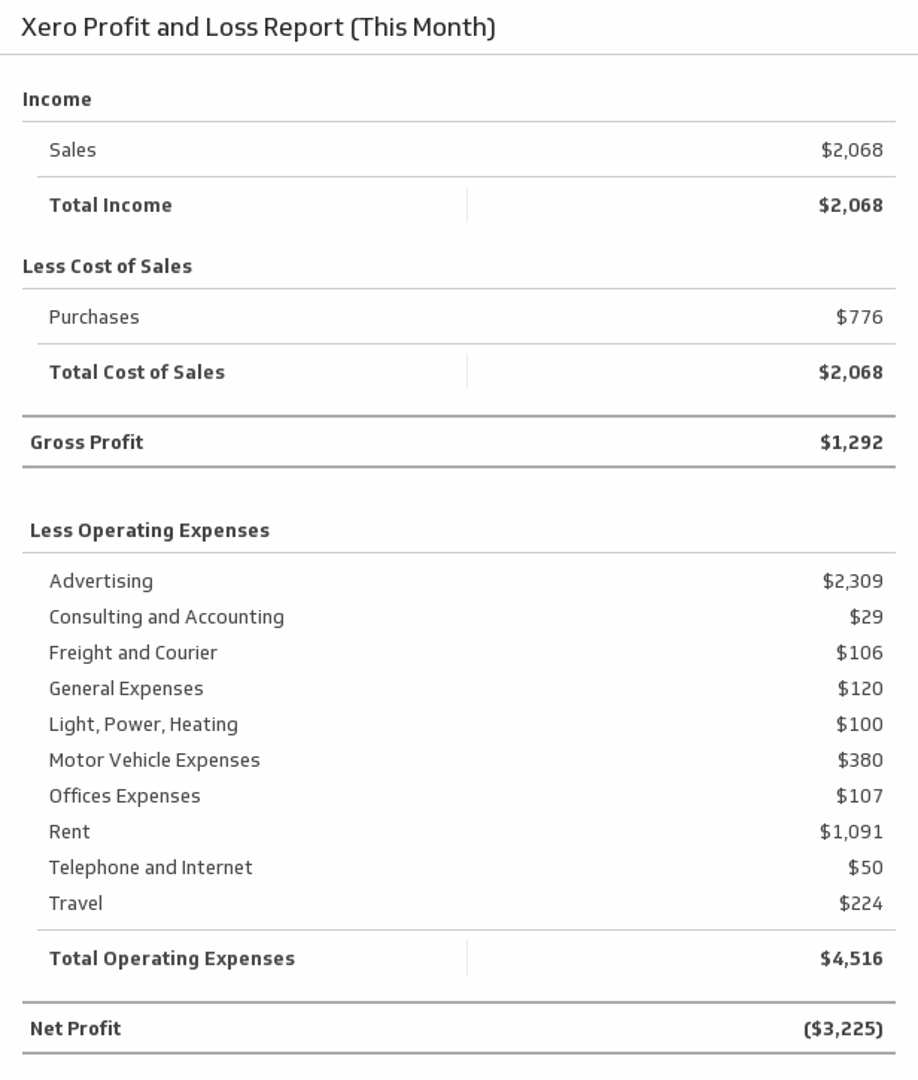
Profit and Loss Report
Display a full profit and loss report for this month.
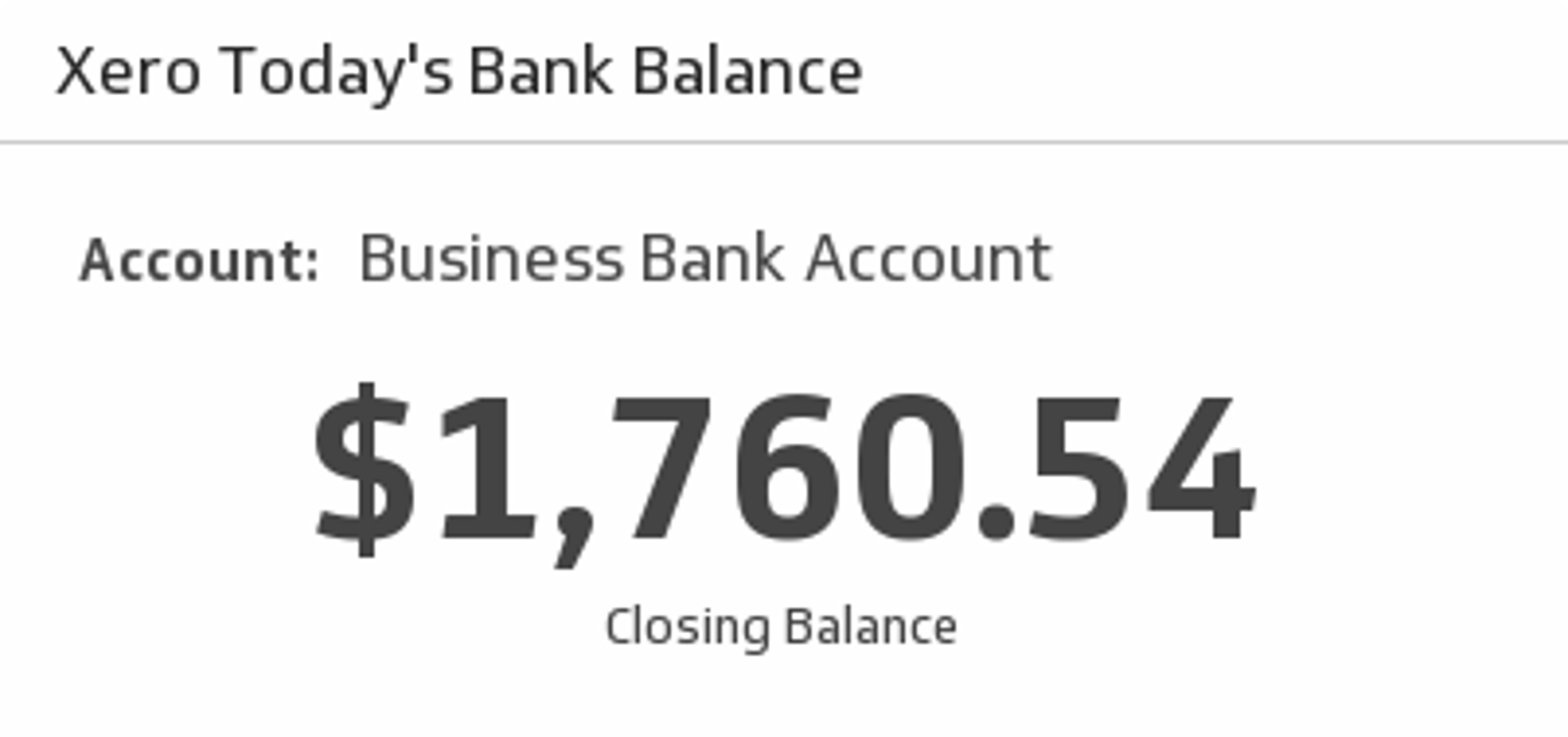
Today's Bank Balance
Select a bank account from the drop down menu and see your total closing balance.


Use the Connector Gallery to create a custom Xero dashboard
With our Connector Gallery, you can create custom API queries to pull in data from your Xero account. Building custom queries allows you to specify the metrics and time periods that you want to track.
You can use custom queries to build out visualizations in Klipfolio. You can also combine your Xero data with other relevant data to create your custom dashboard.
Learn more about working with the Xero API and how you can start building your own Xero queries in Klipfolio.