

Choosing an MQL model for your HubSpot instance
Learn which MQL model works best for your HubSpot instance. Explore hand-picking, direct response, lead scoring, and product-led approaches to find the right fit for your sales and marketing process.

One of the first things you'll encounter as a new HubSpot user is the need to create a lifecycle model. HubSpot includes out-of-the-box properties and automation to help you get started, but you still have important decisions to make. Much of it comes down to blending marketing operations with your actual business processes.
One of the most critical stages in your lifecycle is the Marketing Qualified Lead (MQL) stage. This is the hand-off point between sales and marketing. When a contact becomes an MQL, workflows kick off in HubSpot and signal to your sales team that a new contact is ready for outreach.
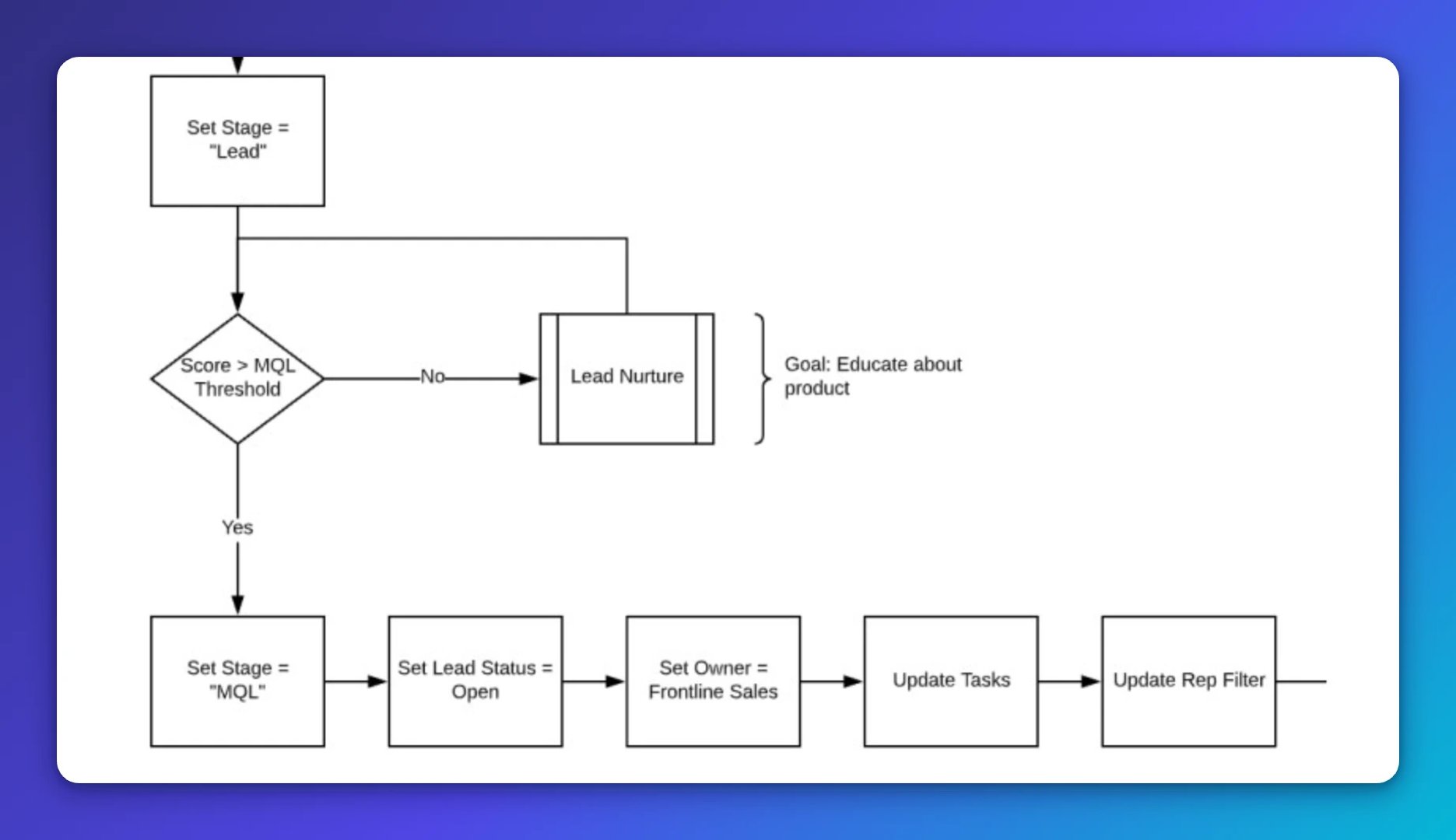
While some declare MQLs dead, the model remains foundational for most sales and marketing teams. Few teams succeed without a clear signal that a prospect is ready to engage with sales. Call it what you want: the spirit of the MQL is alive and well.
The modern approach doesn't disregard MQLs; it builds on them. Teams now incorporate conversational marketing, product-led initiatives, and other tools to grow revenue and strengthen the sales and marketing relationship. MQL models are evolving to reflect how buyers actually engage with your business.
In this post, I'll walk you through the models used to define MQLs. Even if you don't adopt one of these frameworks directly, you'll gain insight into how marketing operations professionals approach the sales and marketing process.
What is a marketing qualified lead?
A marketing qualified lead (MQL) is a prospect who meets predefined criteria suggesting they are likely to convert. Once a prospect reaches the MQL stage, they are ready for sales outreach. Ideally, MQL criteria are backed by data and experience that signal a higher likelihood of conversion.
HubSpot defines an MQL as a "lead that the marketing team has deemed more likely to become a customer compared to others."
Too often, marketing operations teams get hung up on the "how" instead of the "what" and "why." The why is straightforward: you define MQLs to streamline the sales and marketing process and become more effective at generating revenue.
If the best model for your team is to hand-pick MQLs, then do that. Be pragmatic and experiment. I've worked with numerous models, from simple to sophisticated, and seen both succeed and fail. The key is understanding your business context.
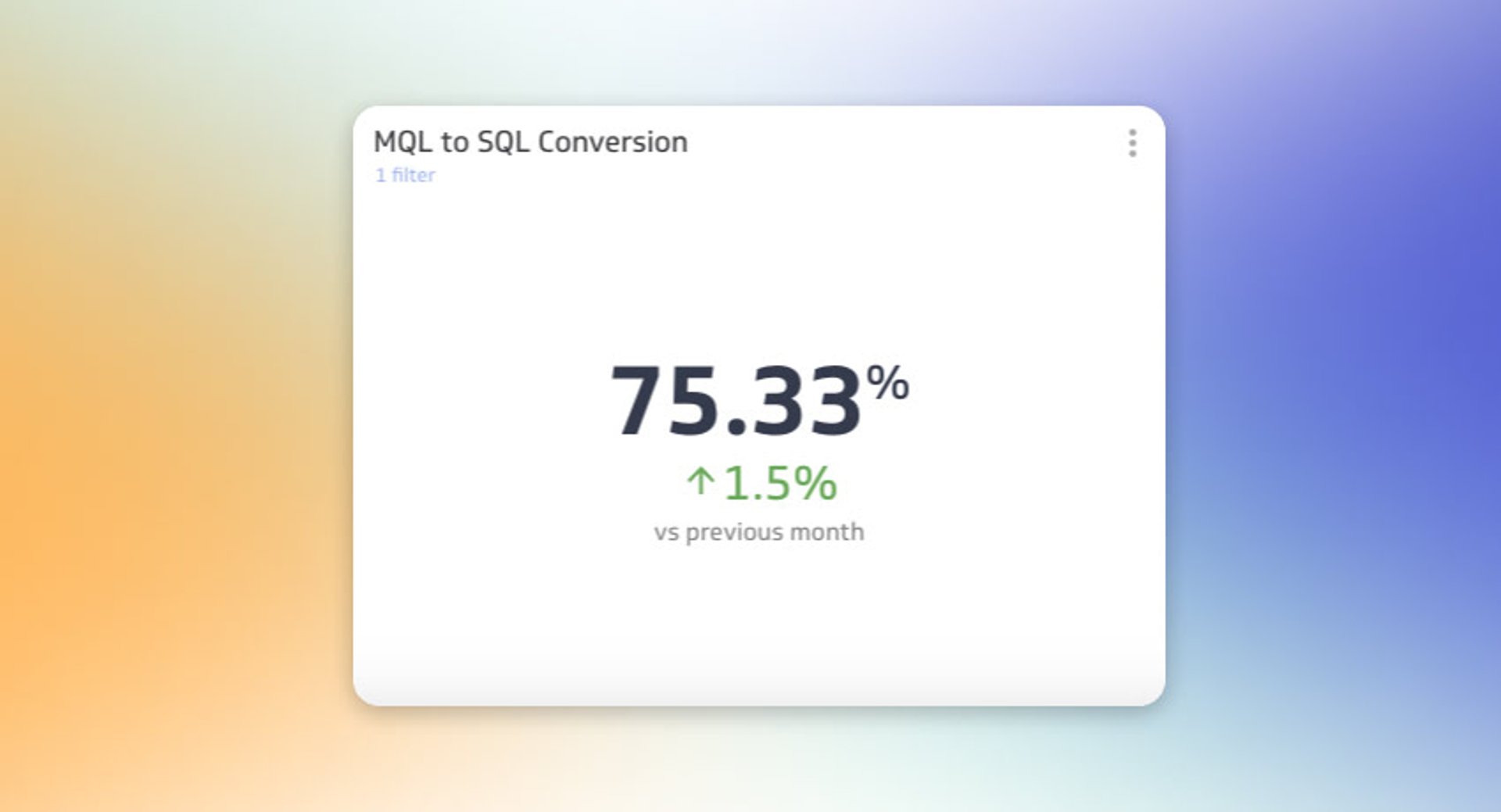
How do you measure MQL process effectiveness? Revenue is the obvious choice, but it's a lagging indicator. Instead, track your MQL to SQL Conversion Rate (also called MQL acceptance rate). Since MQLs are transitory — they either progress by being accepted by sales or revert to a previous stage — this metric tells you whether your model is working. Aim for an MQL to SQL Conversion Rate above 80% to evaluate model effectiveness.
Types of MQL models
The most common MQL models are:
- Hand-picking MQLs: marketing identifies and passes leads to sales manually
- Direct response to a campaign: contacts who raise their hand by filling out a form, requesting a demo, or starting a chat
- Lead scoring models: automation assigns grades or scores based on fit and engagement
- Product-led MQLs: product usage signals replace or supplement traditional scoring
Each model has strengths, and you'll want to pick one that aligns with your current setup and resources. Let's explore each in detail.
Hand-picking MQLs
A hand-picked MQL is one that marketing has specifically identified and passed to sales. In the age of marketing automation, it seems primitive and unscalable, but it happens more often than you'd think.
This is often the default starting position for two reasons: teams lack a marketing automation system like HubSpot, or they don't have in-house expertise to build an automated MQL process.
As a marketer, your mantra should be "know thy customer." If you live by this principle, you should be skilled at identifying qualified prospects. High quality and acceptance rates are possible with this approach.
However, this model doesn't scale as your inbound marketing engine grows. It's labour-intensive and creates bottlenecks as volume increases. Use it as a starting point, then graduate to more scalable approaches as your team and processes mature.
Direct response to a marketing campaign
A direct response MQL is a contact who has engaged with a campaign, signalling high engagement and sales readiness. This includes filling out a demo request form, responding to a direct mail offer, or starting an online chat conversation on your website.
These are hand-raising prospects, ones directly or indirectly asking for sales engagement. Your job is to get these contacts in front of sales as quickly as possible. In HubSpot, implement this by:
- Setting up workflows to alert sales reps of a hot lead
- Creating automated emails to confirm receipt of the prospect's inquiry
- Giving prospects direct access to sales rep calendars on demo forms
Every inbound marketing team has some form of direct response campaign. As you build your MQL process, don't move away from this model: incorporate it into more advanced frameworks.
Create custom dashboards for you and your team.
Get started with KlipsLead scoring model
A lead scoring MQL model uses marketing automation to assign grades or scores to each contact in your system. This is the most common model for generating MQLs in an inbound marketing framework because it's reliable, scalable, and relatively accurate.
Within the lead scoring paradigm, you can use several sub-models:
- Numeric scoring: a single score or sum of multiple scores
- Scoring matrix: contacts grouped into fit and engagement buckets
- Algorithmic scoring programs: third-party software that predicts conversion likelihood
Let's explore each in detail.
Numeric scoring
A numeric lead scoring model assigns a score or grade to each contact in your database. This score can be a single property or a sum of multiple scoring properties, such as behaviour and demographic scores.
This is the gateway model for lead scoring. It's straightforward to set up: a few workflows or modifications to the HubSpot Lead Score property, and you're ready. The most common implementation sums Behaviour Score and Demographic Score to create an aggregate Lead Score.
One limitation is the potential for false positives. A highly engaged prospect may overcome a lower demographic score and still reach sales. Conversely, prospects matching all demographic attributes may be deemed sales-ready before engaging with your marketing or product.
I've seen strong results with this model. That said, continuously evaluate your scoring criteria and check in with sales on lead quality. As you discover exceptions to your rules (for example, highly engaged leads from a poor geographical location), you'll need to amend the model and reroute false positives.
Here's a basic example of this scoring model:
Behaviour score
- +50 pts for form fill
- +5 pts for email clicks
- +15 pts for pricing page visit
Demographic score
- +15 pts for target role(s)
- +15 pts for target geography
- +5 pts for corporate email
Add these up, and you have your numeric lead score.
One drawback is that quality is represented purely as a number. The higher the score, the better the lead — but this can obscure which attributes actually drove MQL status. Transparency matters when sales needs to understand why a lead was qualified, especially when they're deciding whether to trust the handoff or go back to figuring it out themselves.
Scoring matrix model
A scoring matrix model groups prospects on two axes: Fit and Engagement. Unlike numeric scoring, this model doesn't display an aggregate score; instead, it groups contacts into buckets.
!HubSpot MQL Model | MQL to SQL Conversion Rate
The scoring matrix builds on the numeric scoring model using the same ingredients. Fit is a stand-in for demographic score, and Engagement is the equivalent of behaviour score.
The approach is to take those two scores and apply a grade to each. Instead of showing a behaviour score of 120 or 30, you assign a grade based on value bands. For example: 1–25 = Grade 4, 26–50 = Grade 3, 50–100 = Grade 2, and 100+ = Grade 1. Do the same for Fit Grade.
The key part is figuring out your buckets. Get into your data and determine where contacts actually land in the matrix. The best approach is to decide how many people you want in each stage, then work backward to set your thresholds.
What I like about this model is the predictability. You'll end up with a rough forecast for how many contacts land in each bucket monthly. This creates predictable MQL volume for sales and clear targets for marketing. The model also removes false positives and provides an intuitive value: an A1 lead is highly engaged and matches your best-fit profile; a D4 is unengaged and a poor fit. Sales knows exactly what they're getting without having to decode a number.
Algorithmic scoring programs
The third model uses third-party software to set lead scores via algorithm. These models work well but require substantial data inputs and additional software costs.
Most work by entering a list of records representing your best-fit customers. This might include recent opportunities, opportunities at a certain stage, or existing customers.

The software compares those records to a global database and correlates attributes to predict if a new lead is more or less likely to convert. It's similar to how digital ad platforms use lookalike audiences. You provide a list of your best customers, the platform analyses shared attributes, and it predicts a contact's likelihood to purchase based on similarity to that group.
In my experience, these models require periodic tweaking. I've also seen teams run a lead scoring system in parallel to validate the algorithm's output, for example running a scoring matrix alongside the algorithm's predictions to check for consistency.
The hardest part of adopting this model, beyond budget, is trusting it. The qualification process is a black box for sales and marketing. You're giving control of your MQL criteria to software you can't see working in real time. This creates instinctive skepticism about accuracy and data sourcing. In an era of privacy and security concerns, many teams hesitate to hand control to third-party software.
Product-led MQLs
In software, product-led growth is gaining traction for good reason. MQLs in this model are product-qualified leads.
In a product-led organisation, the product itself drives conversion and qualification. While demographic and behavioural attributes dominate traditional lead scoring, in product-led marketing, the product acts as the filter.
Users who are successful with your product and actively engaging with it are deemed best-fit. Success in the product, this model assumes, predicts future conversion. You don't discard demographic attributes entirely — they still help eliminate poor-converting geographies and roles — but they become secondary.
One advantage is the ability to raise your sales targets. If your product is primarily self-serve and most people purchase without a sales contract, you can focus your sales team on upsell: moving customers from monthly to annual plans or pitching premium features.
How do you action product-led MQLs in HubSpot? This requires integration with your product, data warehouse, or a third-party tool like Mixpanel. The focal point is users engaging with specific features or hitting certain product milestones. You'll work more closely with product and data teams than with sales to determine which product features correlate with conversion.
This model is strong and scalable. You're working with contacts who are already getting value from your product. Sometimes sales just needs to nudge them across the finish line.
Create custom dashboards for you and your team.
Get started with KlipsHow to pick an MQL model
Unless your business model is completely novel, you'll likely incorporate elements from each approach to create a lifecycle that actually works. Hand-raising prospects filling out demo requests should have a direct line to sales. Highly qualified contacts matching your best-fit profile should be prioritised. Engaged product users deserve extra consideration.
The risk of skipping this work is that your team ends up waiting for someone to pull a number, pasting data into a spreadsheet, or making calls based on gut feel instead of a consistent signal. A well-chosen MQL model removes that ambiguity. Sales knows what a qualified lead looks like. Marketing knows what to optimise for. Everyone is working from the same definition.
HubSpot supports any of these models. My recommendation is to build a "shadow program" using temporary or test properties. Run your proposed model behind the scenes without impacting existing processes. Use those results to inform stakeholders and determine which approach makes the most sense for your business. Start simple, measure results, and evolve as you learn.
Updated 2026-08-29





Most recent
- SEP 25What SOC 2 taught a small team about trust
- SEP 15The AI race: progress, humanity, and trust
- SEP 9The good advisor
- AUG 11Beyond simple sign-ups: how True Trials and Activation predict growth
- JUL 7Why business leaders miss important trends in their dashboards
- JUN 19The best chart for the job: Visualizing data for non-technical users