Click-to-Open Rate (CTOR)
Click-to-Open Rate (CTOR) measures the percentage of people who opened your email and then clicked a link inside it. It tells you whether your email content is working, not just your subject line.
Click-to-Open Rate by industry
- Financial Services21.5%
- Publishing18.1%
- Automotive13.4%
- Arts & Entertainment12.5%
- Communications12.5%
- Technology12.5%
- Food & Beverage11%
- Legal Services10.9%
Click-to-Open Rate (CTOR) measures the percentage of people who opened your email and then clicked a link inside it. It tells you whether your email content is working, not just your subject line.
What is Click-to-Open Rate (CTOR)?
Click-to-Open Rate (CTOR) is the percentage of email openers who clicked at least one link inside your email. Where open rate tells you how many people were curious enough to open, CTOR tells you whether what they found inside was worth acting on.
If 20 people open your email and 10 click a link, your CTOR is 50%.
CTOR = (unique clicks / unique opens) × 100
A high CTOR means your content, design, and call to action are landing. A low CTOR means people are opening and walking away.
Why CTOR matters
Open rate tells you your subject line is working. CTOR tells you your email is working. That distinction matters because you can have a strong open rate and a weak CTOR, which means you're getting attention but losing people before they take action.
CTOR isolates the content experience. Because it only counts people who already opened, it removes the subject line variable and focuses entirely on what happens inside the email: the copy, the offer, the design, and the call to action.
That makes CTOR one of the clearest signals you have for whether your email content is driving decisions, not just opens.
How to find your CTOR
Email platforms like Mailchimp and HubSpot report CTOR automatically in their campaign performance dashboards. You'll typically find it alongside open rate, click-through rate, and unsubscribe rate.
If you're calculating it manually:
CTOR = (unique clicks / unique opens) × 100
For example: 500 unique clicks divided by 2,000 unique opens, multiplied by 100, equals a 25% CTOR.
Track it consistently, weekly or per campaign, so you can spot trends rather than reacting to one-off results.
What is a good Click-to-Open Rate?
A good CTOR depends on your industry, your audience, and how often you send. There's no single number that applies across the board.
As a general target, a CTOR of 20% is considered strong in most industries. Anything consistently below 10% is worth investigating.
Industry benchmarks
As of January 2023, the average CTOR across all industries is 11%. Here's how that breaks down by sector:
| Industry | Average CTOR |
|---|---|
| Financial Services | 21.45% |
| Publishing | 18.07% |
| Automotive | 13.35% |
| Arts and Entertainment | 12.46% |
| Communications | 12.46% |
| Technology | 12.45% |
| Legal Services | 10.90% |
| Food and Beverage | 10.95% |
| Non-Profits | 10.76% |
| Sports | 9.73% |
| Health and Beauty | 9.59% |
| Retail | 8.71% |
| Education | 7.97% |
| Healthcare | 7.58% |
| Real Estate | 7.16% |
| Travel | 6.61% |
Industries with lower CTORs, like travel and retail, often send at higher frequency. When someone receives four emails in a day from the same brand, they're unlikely to click every one. Financial services sits at the top partly because recipients tend to open those emails only when they're already interested.
If your industry isn't listed, research your sector's benchmark and set a goal above it.
How to increase your Click-to-Open Rate
A low CTOR is a content problem, not a delivery problem. These are the most effective ways to fix it.
Track it consistently
You can't improve what you don't watch. Check your CTOR per campaign and over time. Build a baseline so you know what's normal for your list, then measure the impact of every change you make. Without that baseline, you're guessing.
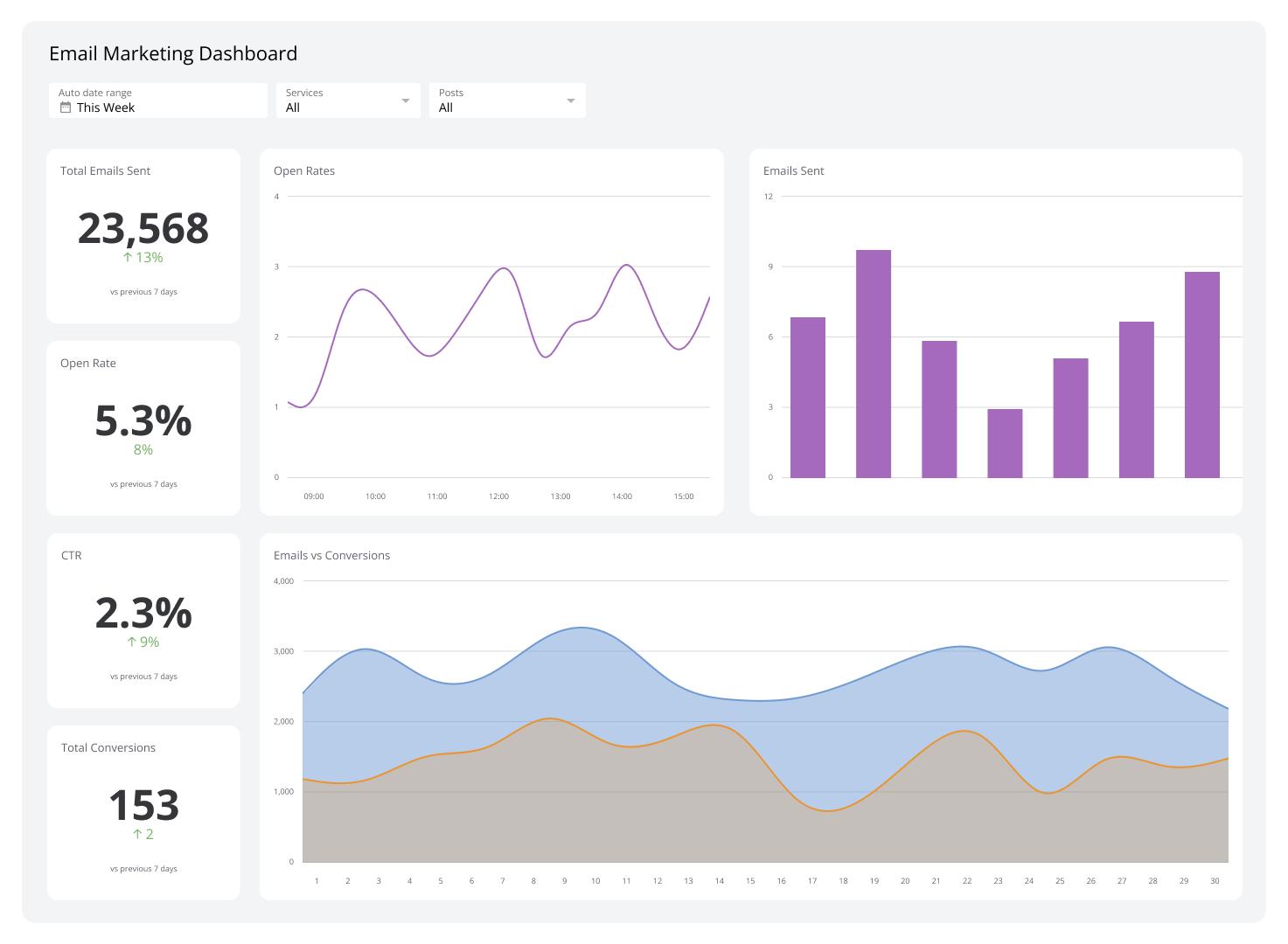
A Klips dashboard can pull your email performance data from platforms like Mailchimp or HubSpot and surface CTOR alongside open rate and conversions in one place, so you're not logging into multiple tools to get the full picture.
Personalize the content
Generic emails get ignored. When an email feels like it was written for the reader specifically, based on what they've browsed, purchased, or shown interest in, they're more likely to act.
Use behavioural data: products viewed, pages visited, past purchases. Build email flows that reflect where each person is in their journey. Personalization isn't just about using someone's first name; it's about making the offer feel relevant.
Write subject lines that earn the open
CTOR only improves if people are opening in the first place. A compelling subject line gets them in the door. Aim for subject lines that are clear, specific, and honest about what's inside. Clever is fine; misleading is not. Clickbait subject lines that don't match the email content drive unsubscribes, which is the opposite of what you want.
Make the CTA impossible to miss
Once someone opens your email, the path to clicking should be obvious. Your call to action needs to be clear, prominent, and tied directly to what the reader gets by clicking. Don't bury the link in body copy or leave it without context. Tell people exactly what to do and why it's worth doing.
One strong CTA outperforms multiple competing ones. Give the reader one clear next step.
Read CTOR alongside other metrics
A 100% CTOR sounds impressive until you realize only one person opened the email. CTOR only tells part of the story. Read it alongside open rate, click-through rate, and conversion rate to understand what's actually happening across your campaign.
If your CTOR is high but conversions are low, the problem is likely on the landing page, not in the email. If your open rate is low but CTOR is strong, the content is working but the subject line isn't pulling people in. Each metric points to a different part of the funnel.
Related metrics
These are the most important email marketing metrics to track alongside Click-to-Open Rate:
- Total Sent: The number of emails dispatched in your campaign, distinct from the number successfully delivered.
- Open Rate: The percentage of total emails sent that recipients opened.
- Click-Through Rate (CTR): The click-through rate is the percentage of total emails sent where someone clicked a link. Unlike CTOR, the denominator is all emails sent, not just opens.
- Email Conversion Rate: The percentage of recipients who completed the desired action after clicking, whether that's a purchase, a sign-up, or a download.
- Bounce Rate: The percentage of emails that never reached the recipient's inbox.
- Unsubscribe Rate: The email unsubscribe rate is the percentage of recipients who opted out after receiving your email.