Dashboards for MSPs and IT Consultancies
One view for your team. One view for your clients.
Give every project lead, service manager, and finance owner the same live view of Project Margins, Billable Utilization, MRR, and SLA Compliance. Connect PSA, ticketing, CRM, and finance so you can move from spreadsheet chores to clear decisions and client-ready reporting in minutes.
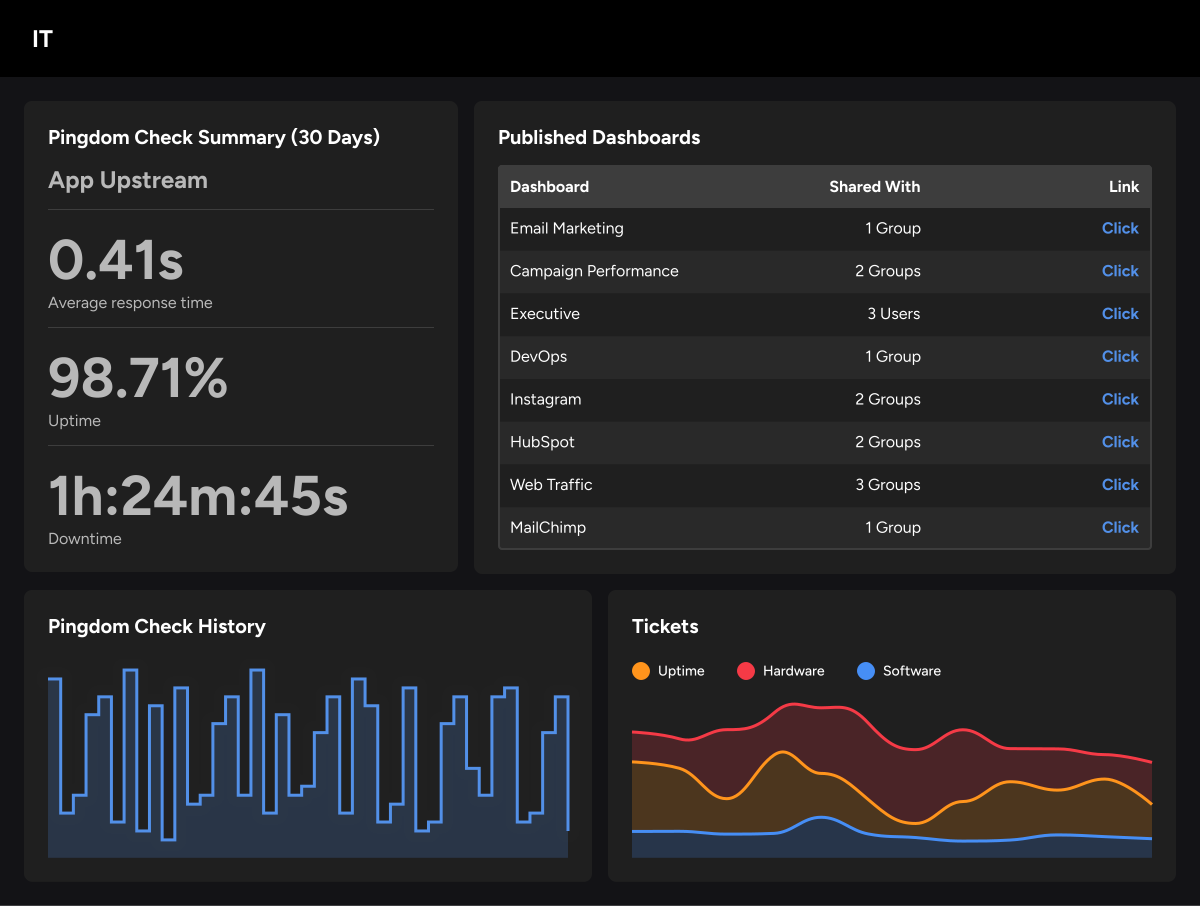
Your firm runs on projects and people. Margins shift with every time entry, change order, and staffing adjustment. Recurring contracts steady the revenue line, but forecasting and reporting get messy when your CRM, PSA, and accounting tools each tell a different story.
Klips connects those systems so project leads, service managers, and finance owners see the same numbers at the same time. Track Project Margins, Billable Utilization, MRR, and SLA Compliance in real time, without waiting for someone to pull a report. Share dashboards internally or with clients via private links, wallboards, PDFs, or embedded views. The result: less time chasing data, more confidence in the numbers, and client conversations that start from a shared view of the facts.

Why Klips fits IT and services work
Connect what you already use: PSA, ticketing, CRM, and accounting tools — like ConnectWise, Autotask, Jira, ServiceNow, HubSpot, Salesforce, QuickBooks, Xero, Microsoft 365, Azure, and AWS.
Shape metrics that matter: Use familiar formulas to track Effective Hourly Rate, renewal risk, utilization, and service tier performance.
Keep data current: Set refresh schedules so dashboards stay up to date for daily standups, QBRs, and client reviews — no manual pulls required.
Share safely: Apply roles and permissions to control who sees internal versus client dashboards. White-label options keep your brand front and centre.
"Costly and valuable developer time is now freed up, no longer from having to create interfaces, host and maintain databases, normalize data, and visualize reports." — Improvado
Getting started is straightforward
Start with PSA, utilization, or financial health. Connect your systems, model your data, and build custom Klips for Project Margins, MRR, renewals, AR Aging, and SLA Compliance. Adjust formulas for your billing model, publish client-friendly dashboards, schedule PDFs, and add wallboards for team visibility.
Project profitability, utilization, and capacity
Projects win or lose on time and staffing. See margins and utilization in the same view so you can protect profit, balance workloads, and catch problems before they hit the invoice.
Real-time Project Margins: Burned vs. budget, Effective Rate, cost rate, and EAC variance by project and by client.
Billable Utilization: By person, role, and team, with targets, bench time, and availability for the next four weeks.
Capacity planning: Roll up booked work and pipeline to know who is free, overbooked, or at risk before it becomes a problem.
Early warnings: Margin risk and utilization flags based on thresholds you set, so the alert comes to you rather than waiting for a weekly review.
Recurring revenue and forecasting
Managed services steady your revenue, but renewals and upsells still need a clear runway. Bring CRM, PSA, and billing together so your forward view is always current.
MRR and churn: New, expansion, contraction, and churn by month, client, and service line.
Roll-forward forecast: Weighted pipeline plus bookings and recurring contracts in a single monthly view.
Contract health: Renewal dates, term remaining, SLA credits, and at-risk accounts with owner next steps.
Staffing impact: Revenue forecast linked to required roles so you can plan hiring and bench assignment before a gap opens.
Client reporting and financial health
Transparent reporting builds trust and shortens QBRs. Finance needs the same clarity on cash and collections to keep the engine running.
SLA and service quality: Uptime, MTTR, First-Contact Resolution, backlog, and ticket age by priority.
Project milestones: Plan vs. actual with risks, blockers, and ETA, ready to share via a private client link.
Cash flow and collections: AR Aging buckets, DSO, invoice status, promises to pay, and owner follow-ups.
Security posture: Patch compliance, endpoint coverage, and exceptions for regulated clients.
What you can do with Klips
Klips gives MSPs and IT consultancies a reporting layer that works across the whole firm, not just one team or one tool.
Build a Project Profitability Dashboard that shows burned hours, margin, and EAC variance by client, updated daily without manual input.
Produce client-ready QBR decks from live data, delivered as scheduled PDFs or shared via private link before the meeting starts.
Run a Recurring Revenue Dashboard that tracks MRR movement, renewal risk, and pipeline in one view for leadership.
Give each service team a live SLA Scorecard so ticket backlogs and breach risks surface before they reach the client.
Centralize financial health reporting with AR Aging, DSO, and cash flow visible to finance without a spreadsheet handoff.
Distribute branded dashboards to clients with white-labelled views, role-based access, and no extra logins required.
Key metrics for MSPs and IT consultancies
The metrics below reflect the work that actually drives profitability and client retention in managed services and IT consulting.
Project and delivery
Billable Utilization Rate
Effective Hourly Rate
Project Margin (actual vs. budget)
EAC Variance
Bench Time
Recurring revenue
Monthly Recurring Revenue (MRR)
MRR Churn Rate
Net Revenue Retention
Contract Renewal Rate
Weighted Pipeline Value
Service and SLA
SLA Compliance Rate
Mean Time to Resolve (MTTR)
First-Contact Resolution Rate
Ticket Backlog by Priority
Customer Satisfaction Score (CSAT)
Financial health
Days Sales Outstanding (DSO)
AR Aging by bucket
Gross Margin by service line
Revenue per Employee
How ManageOne centralized reporting across 15+ companies
MagneticOne Group is a software development corporation made up of more than 15 sub-companies. Its management entity, ManageOne, needed a dashboard solution that could handle diverse data sources, scale across the group, and reduce the manual effort of preparing reports for the board.
Before switching to Klips, ManageOne used a tool that required all data to be prepared through spreadsheets first, slowing down every reporting cycle and limiting how deep they could go with KPIs.
"The service was fine, but it demanded a lot of data preparation and lacked flexibility as we were forced to use Google Sheets as proxy for our data."
After moving to Klips, ManageOne connected directly to their data sources using pre-built connectors and REST API, eliminating the spreadsheet preparation step. Every sub-company now has its own dashboard for board reporting, and the team can add new metrics on request without a rebuild.
"We don't have to wait for the next report to be published or shuffle between multiple services and docs anymore in order to understand what is going on. Now, with Klipfolio Klips, we understand in real-time."
The shift freed them to track more granular KPIs: traffic by channel and campaign, funnel conversion by stage, dev statuses (staging, QA review, production), migration metrics, and employee performance indicators across the group.
"Before Klipfolio Klips we only monitored basic metrics like total traffic, sales, partner sales, and so on. In a way, the tool we used before limited our abilities to go deeper and scale dashboards across our group of companies. I was blown away when I discovered Klips' capabilities and now we go deep with our data."
Frequently asked questions
What systems does Klips connect to for MSPs and IT consultancies?
Klips connects to PSA tools (ConnectWise, Autotask), ticketing platforms (Jira, ServiceNow), CRM systems (HubSpot, Salesforce), accounting software (QuickBooks, Xero), and cloud infrastructure (Microsoft 365, Azure, AWS). For anything without a native connector, REST API, SQL, and file uploads cover the gap.
Can we share dashboards directly with clients?
Yes. Klips supports private links, embedded views, white-labelled dashboards, and scheduled PDF delivery. You control what each client sees through role-based permissions, and your branding stays front and centre.
How does Klips handle billing model differences between firms?
Klips uses Excel-like formulas and a data modeller so you can define your own metrics. Whether you bill by the hour, by seat, on retainer, or on a project basis, you shape the calculations to match how your firm actually works.
How often does the data refresh?
Refresh rates range from one minute to 24 hours depending on your plan and data source. For daily standups and QBRs, scheduled refreshes mean dashboards are always current without anyone pulling a manual update.
Is Klips a good fit for firms that manage multiple clients or entities?
Yes. Klips supports granular access controls, so you can maintain separate dashboards per client or entity while sharing a common data model. ManageOne uses this approach across 15+ sub-companies within MagneticOne Group.
How long does it take to get a working dashboard?
Most teams connect their first data source and build an initial Klip within a day. A full project profitability or client reporting setup typically takes a few days to a week, depending on how many systems you're pulling from and how custom the calculations need to be.
Why Klips fits IT and services work
- Connect what you already use: PSA, ticketing, CRM, and accounting tools — like ConnectWise, Autotask, Jira, ServiceNow, HubSpot, Salesforce, QuickBooks, Xero, Microsoft 365, Azure, and AWS.
- Shape metrics that matter: Use familiar formulas to track Effective Hourly Rate, renewal risk, utilization, and service tier performance.
- Keep data current: Set refresh schedules so dashboards stay up to date for daily standups, QBRs, and client reviews — no manual pulls required.
- Share safely: Apply roles and permissions to control who sees internal versus client dashboards. White-label options keep your brand front and centre.
"Costly and valuable developer time is now freed up, no longer from having to create interfaces, host and maintain databases, normalize data, and visualize reports." — Improvado
Getting started is straightforward
Start with PSA, utilization, or financial health. Connect your systems, model your data, and build custom Klips for Project Margins, MRR, renewals, AR Aging, and SLA Compliance. Adjust formulas for your billing model, publish client-friendly dashboards, schedule PDFs, and add wallboards for team visibility.