Semrush
Semrush is an online marketing analytics platform. Connect it to Klipfolio to track keyword rankings, monitor SERP positions, research competitors, and analyze backlinks — all in a live, automated dashboard.
Tracking SEO performance across multiple tools means constant tab-switching, manual exports, and reports that are outdated before you share them. Connect Semrush to Klipfolio and your search marketing data lives in one dashboard — updated automatically, shared your way.
How to connect Semrush to Klipfolio
You'll need your Semrush API key before you start. To find it: log in to your Semrush account, click your user icon at the top right, select API, then navigate to Account in the left menu and copy your key.
Once you have your API key, there are three ways to build a Semrush dashboard in Klipfolio:
- Use a pre-built data source: Go to the Service Connectors page, select Semrush, and choose a pre-built data source. Enter your API key, domain, and regional database, then click Get data. Name your data source, set a refresh rate, and save.
- Add a pre-built Klip: Browse the Klip Gallery for individual Semrush Klips. Add one to your dashboard, then click Connect your data from the Klip menu to replace the sample data with your own.
- Build a custom data source: On the Service Connectors page, select Semrush, then click Create a custom Semrush data source. Edit the query URL using your API key and regional database code, then click Get data, configure, and save.
Note: Semrush charges API units each time you create or refresh a data source. Set your refresh rate to once per day to manage usage.
View the step-by-step setup guide
Top reasons to use Klipfolio for Semrush dashboards
Centralize your SEO reporting. Pull Semrush data alongside Google Analytics 4, Google Ads, and other marketing sources so you see the full picture in one place — no manual consolidation required.
Share results without sharing access. Distribute dashboards via public links, scheduled PDF emails, embedded views, or TV mode — so stakeholders stay informed without needing a Semrush login.
Track the metrics that matter to your team. Surface KPIs like organic keyword rankings, top competitors in organic search, paid keyword performance, and domain authority trends in layouts you control.
Automate your reporting cadence. Schedule data refreshes from once per hour to once per day, so your dashboards are always current without any manual effort.
Start fast with pre-built content. Use pre-built Semrush Klips and data sources to get a working dashboard in minutes, then customize from there.
What Klipfolio adds to your Semrush workflow
| What you do in Semrush | What Klipfolio adds |
|---|---|
| Manually export keyword rankings as a CSV | Automated dashboards that update on a set schedule |
| Log in to Semrush to check competitor data | Shared dashboards your whole team can view in real time |
| Build reports in slides or spreadsheets | Live, visual dashboards distributed via email, TV, or embed |
| Switch between Semrush and other tools | One centralized view combining Semrush with your other data sources |
Stop rebuilding reports from scratch. Start sharing Semrush insights automatically.
Use pre-built Semrush metrics
Assemble a Semrush dashboard by selecting pre-built metrics from the Klip Gallery.
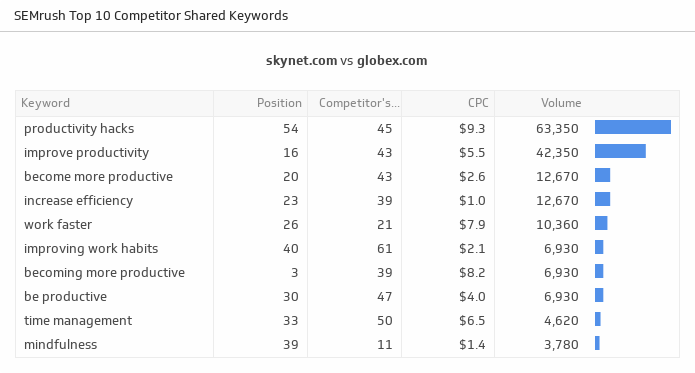
Top 10 Competitor Shared Keywords
Uncover the top ten keywords generating the most leads to your website, and see how you rank against your competitors.
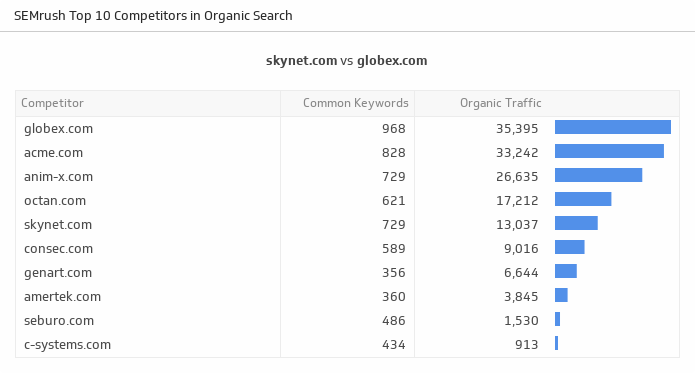
UsesTop 10 Competitors in Organic Search
Stay on the top of the game by tracking your top ten competitors in organic search based on domains with common keywords. Domains with a high number of common keywords are considered competitors.
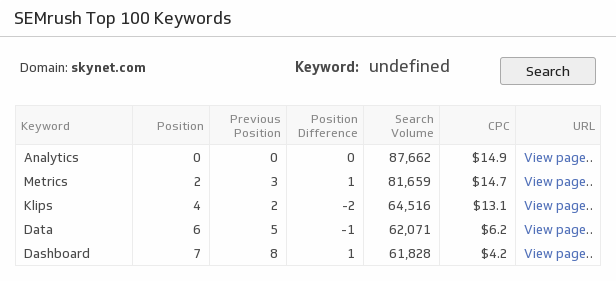
UsesTop 100 Keywords
Examine your top 100 keywords and see how they are performing for the website URL of your choice.
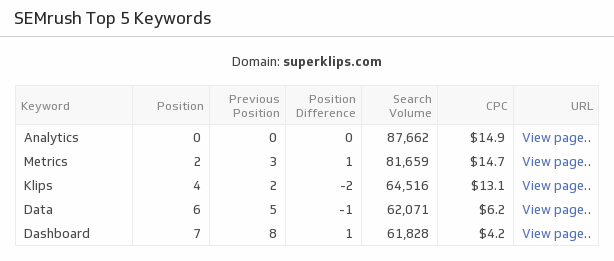
UsesTop 5 Keywords
Discover the top five keywords that drive traffic to the website URL of your choice.
Uses