

What is a TV dashboard?
A TV dashboard displays key business metrics in real-time on a television or wallboard, giving every team member a shared view of performance at a glance. Learn how to set one up in six steps, design it well, and drive team engagement.
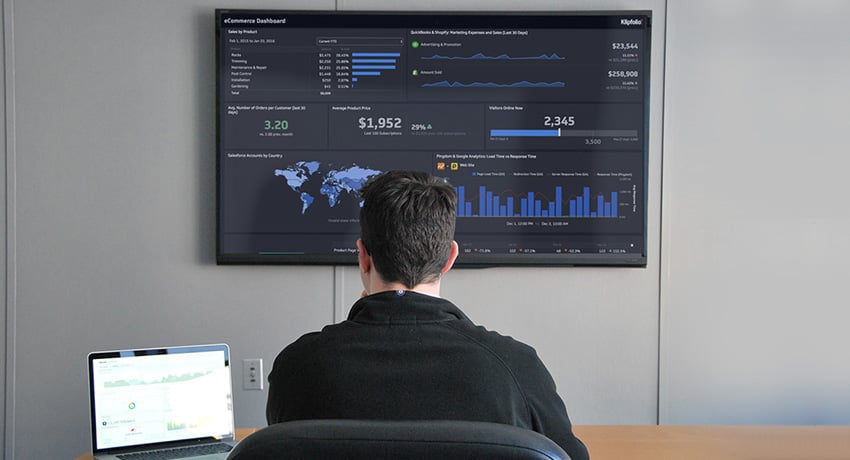
A TV dashboard displays key business metrics in real-time on a television or wallboard, giving every team member a shared view of performance at a glance.
TV dashboards have evolved from office whiteboards to wall-mounted screens, but the purpose has stayed the same: make metrics and KPIs visible, accessible, and actionable. When the right data is always in view, business goals become a shared responsibility — not just a manager's concern.
The benefits of a TV dashboard
A screen on the wall removes the barrier of opening an app or pulling up a report. Data becomes ambient — always present, always current. You stop waiting for someone to pull a number, and your team stops guessing.
Here are the core benefits teams experience:
Improved transparency across the business, so everyone sees the same numbers at the same time
Departmental alignment through shared metrics that reinforce common goals
A culture of open communication where KPIs are discussed, not just reported
Real-time decision-making backed by live data you can trust
Less time in meetings spent sharing results that a dashboard already communicates
Cross-functional collaboration anchored to a single source of truth
Klipfolio customers set up TV dashboards in boardrooms, departmental work areas, and home offices for KPI reporting. When teams can see their performance at a glance, motivation to hit targets follows naturally.
How to set up a TV dashboard
Six steps get you from blank screen to a display your team actually uses.
- Determine your use case
- Select your dashboard software
- Pick your KPIs
- Design your dashboard
- Select your hardware
- Start casting and drive engagement
Determine your use case
Before you build anything, outline what you want the dashboard to accomplish. A clear use case shapes every decision that follows.
Common use cases include:
Engaging foot traffic at a school, business, or event
Displaying real-time business metrics for the whole team
Helping departments align around shared goals
From there, get specific. If you want your sales team to monitor individual and team performance, sketch out what the best sales dashboard for that team looks like before you start building.
Select your dashboard software
The right dashboard software makes the difference between a TV display people ignore and one they rely on. Evaluate your options against these questions:
How does the dashboard look on a TV screen?
How easy is it to activate TV mode?
Is there a mobile and desktop version?
Does the software support custom CSS?
How does the vendor handle multi-tenancy and licensing?
Klips is built with TV display in mind. You can start a free trial here and follow along step by step, or visit the pricing page for full details.
Pick your KPIs
Choose KPIs based on what you want to communicate and what drives performance for each team. If you find yourself with more metrics than fit on one screen, consider running multiple TV dashboards — one per department or role.
TV dashboard tip: Organize dashboards by role or department so the data is easy to understand at a glance. The goal is not to show everything — it is to show the numbers that tell your team what to do next.
Design your dashboard
A strong TV dashboard starts with software built for the display experience, paired with solid design practices.
If you are starting a free trial and are not sure where to begin, use the Klip Gallery to build out a dashboard with your data quickly. For example, you can set up a rich Salesforce dashboard in just a few minutes.
A well-designed dashboard consolidates data that would otherwise live across multiple spreadsheets and browser tabs into a single screen. When you pull data dynamically, it updates in real-time — no manual refreshes, no pasting numbers into a spreadsheet, no explaining your business context from scratch every time you need an answer.
Place your TV dashboard close to the team it is meant to guide. If you have multiple dashboards, position each one near the relevant team. In a smaller office, set up a common-area display and rotate dashboards automatically. TV dashboards should surface what matters, not add noise.
Trim content on the dashboard
Details that are easy to read on a laptop can become hard to parse on a wall-mounted TV. Build a TV-specific version of your dashboard. Remove clutter and keep only the essential metrics that are readable at a distance.
Adjust your browser zoom level
For viewers within 20 feet of the screen, zoom in to 150%–175% for ideal readability.
Use suffixes for large numbers
Format numbers for quick scanning. Use $34.2M instead of $34,231,342.23.
Create custom dashboards for you and your team.
Get started with KlipsMake heights consistent
Uneven metric alignment creates visual noise. Consistent height and spacing make dashboards easier to read at a glance.
Select your hardware
Rise Vision
Rise Vision is a web-based digital signage platform. It lets you display dashboards, calendars, spreadsheets, webpages, RSS feeds, and YouTube videos. You need a media player, a display monitor, and a free account. Rise Vision supports Windows, Linux, Chrome, and Raspberry Pi media players.
Ideal for: Organizations that want a simple way to display dashboards and manage screens from a web app.
Airtame
Airtame is a compact wireless HDMI device that plugs into any TV or projector. It lets you stream content from any computer, tablet, or smartphone.
Ideal for: Schools and businesses that need an easy way to stream content and display dashboards on a shared screen.
Chromecast and Apple TV work in a similar capacity and are worth considering for smaller setups.
Start casting and drive engagement
Deploying a dashboard without preparing your team is a missed opportunity. Include them early — bring them into the initial planning conversations and walk them through how you want them to engage with the display.
If the TV dashboard is meant to drive performance, challenge each team to take ownership of what they see. That means going beyond the display itself and connecting it to your key performance indicators — understanding what you are measuring, why it matters, and what improvement looks like.
Dashboard examples you can use today
Marketing TV dashboard
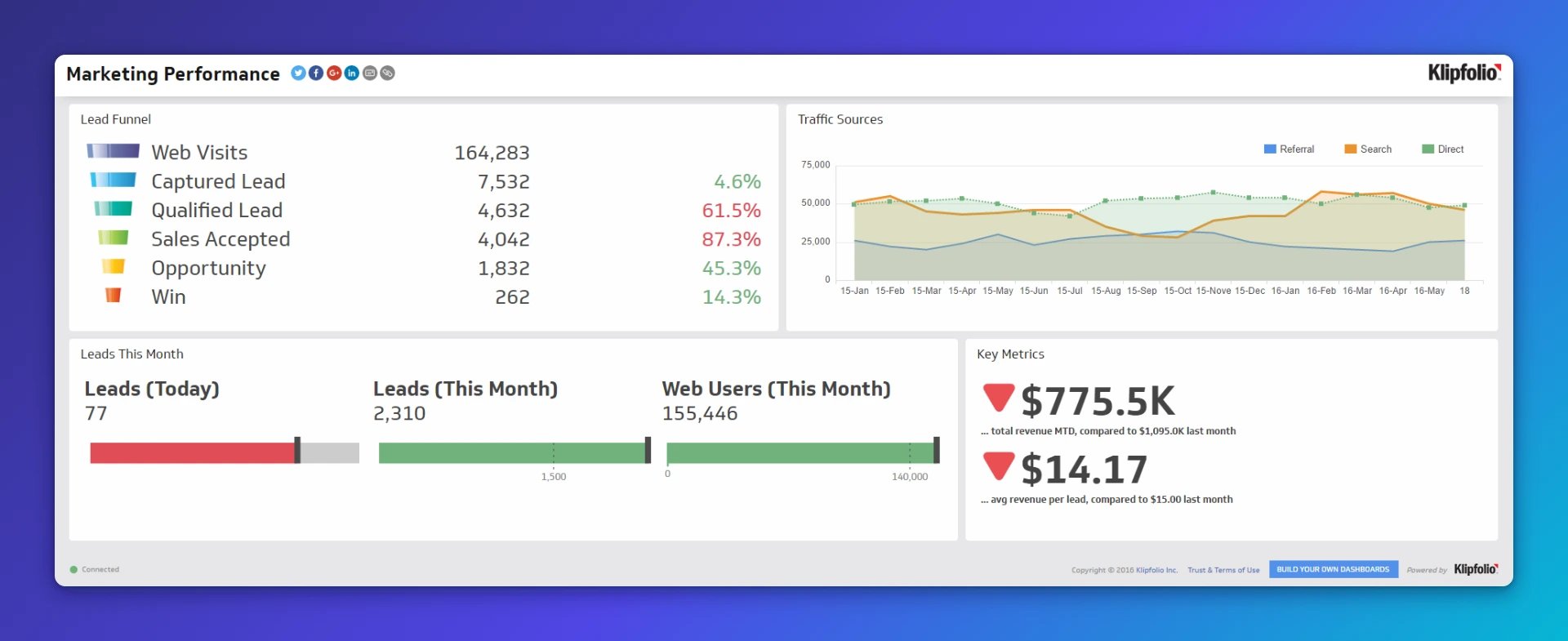
Marketing teams typically track metrics across multiple channels — from web analytics metrics to email marketing KPIs and more. Make sure your marketing dashboard surfaces the metrics that directly affect day-to-day performance. View Klipfolio's live Marketing Dashboards.
Developer TV dashboard
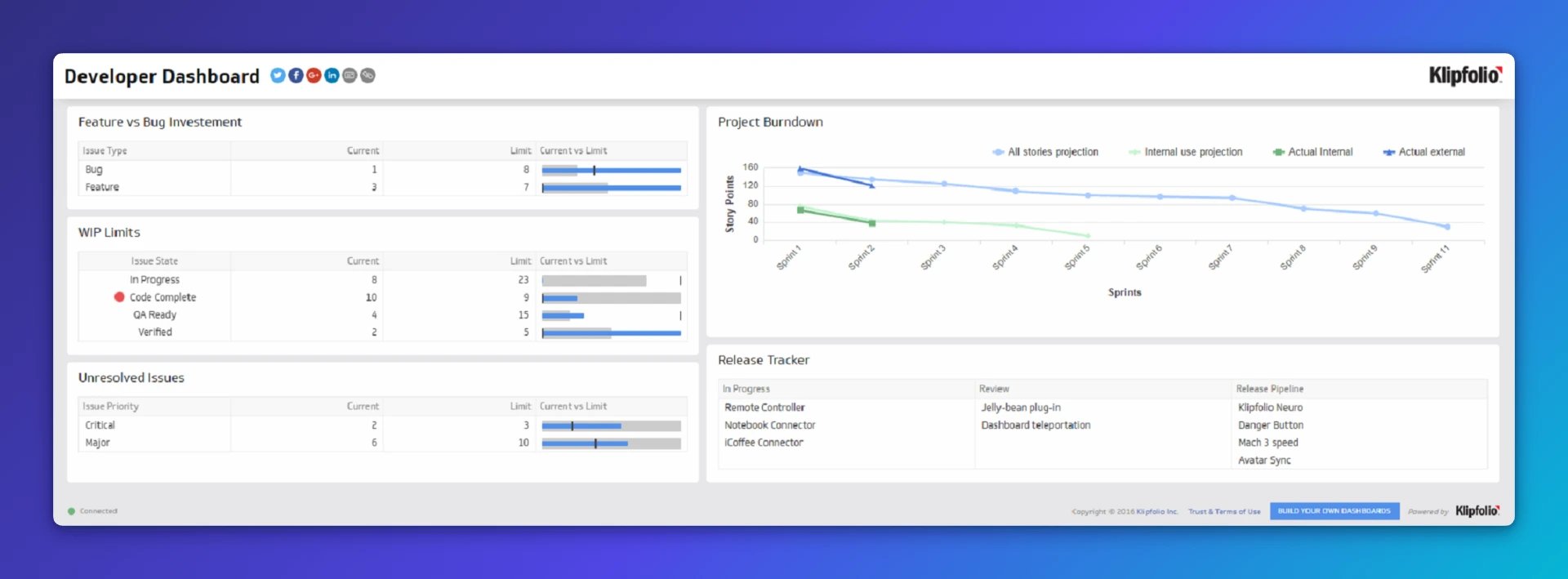
This developer dashboard displays a project burndown and release tracker to keep the DevOps team aligned. It also surfaces unresolved issues, WIP limits, and feature-versus-bug investment — so the team can monitor performance and address problems immediately. View Klipfolio's live DevOps Dashboard.
Sales TV dashboard
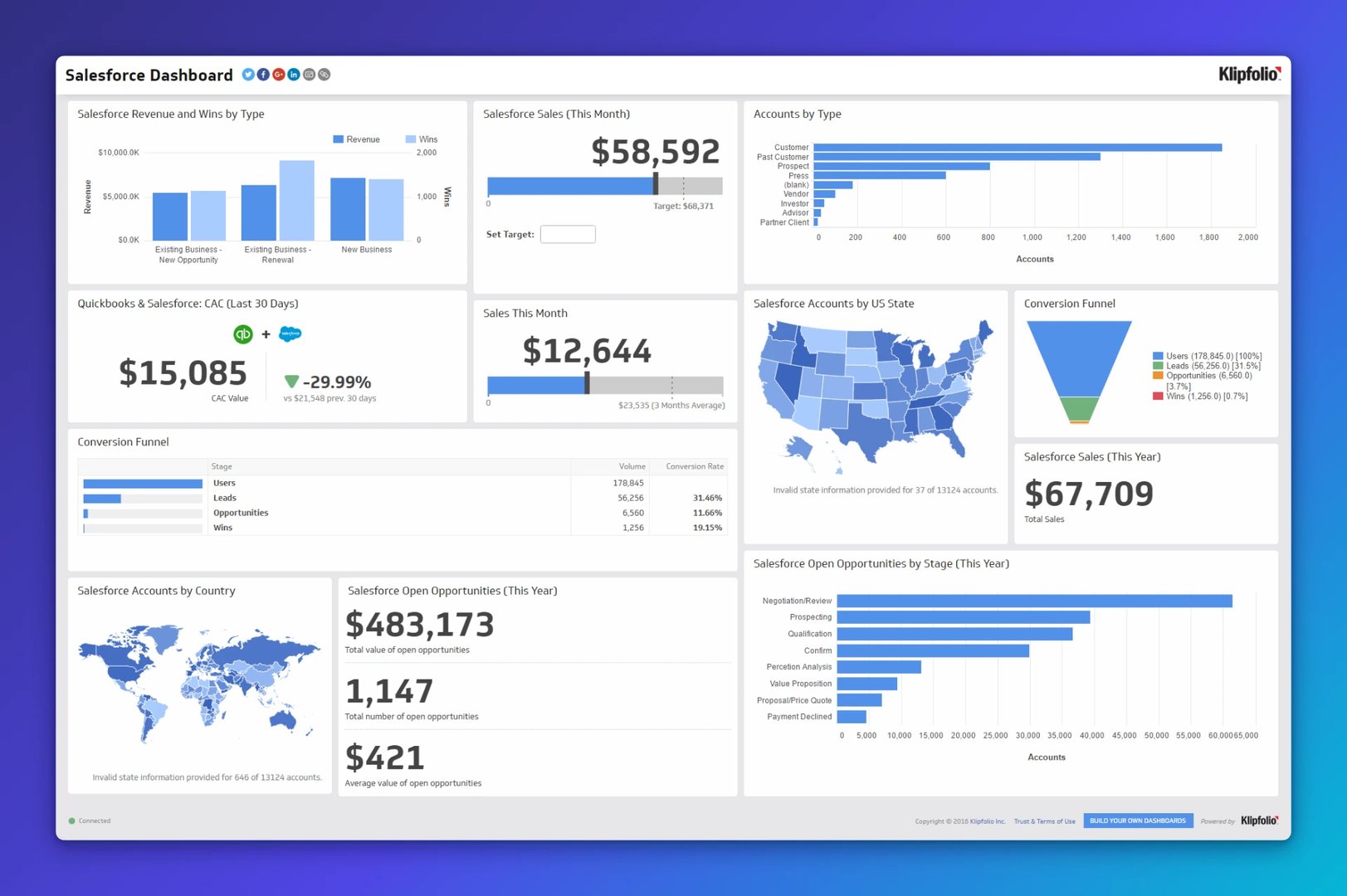
Sales teams need up-to-the-minute visibility into opportunities, closed deals, and new leads. The example below is built on our Salesforce Dashboard. Salesforce is an automated CRM platform that centralizes pipeline data — and when that data feeds a live TV dashboard, your team always knows where things stand. View Klipfolio's live Salesforce Dashboard.
Get started with Klips
Klips makes it easy to build TV dashboards that connect to 130+ data sources, update automatically, and look sharp on any screen. Your team stops waiting for reports and starts making decisions with numbers they can trust. Try Klips free and get your team's most important metrics on the wall today.
Updated 2026-09-02
More in Dashboards
How to get the most out of your data with the right dashboard display
Can DevOps teams have a life in the age of cloud-based software?
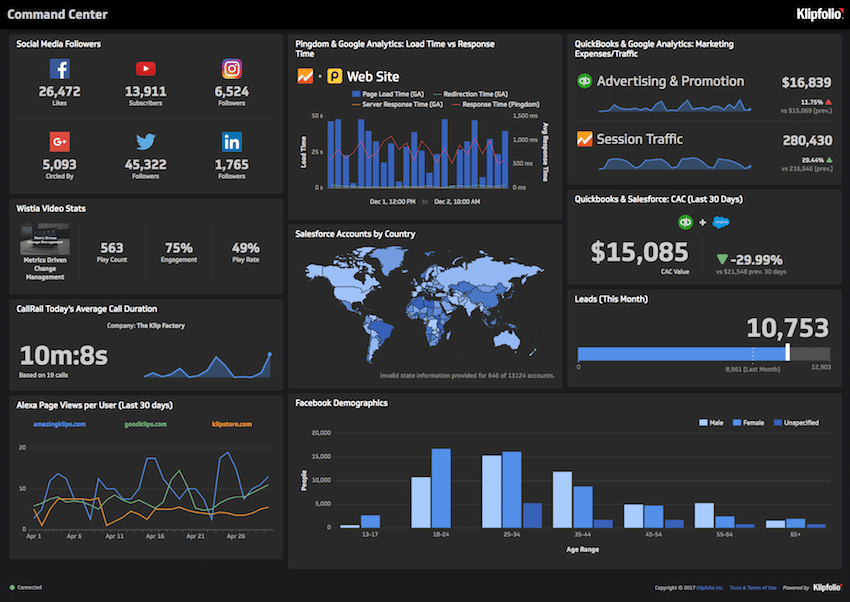
6 dashboards I use daily to run my SaaS company
How Cresa automated social media reporting with all-in-one dashboards

The starter guide to dashboard design
Best Excel alternatives and how to choose the right one for your business
Most recent
- SEP 25What SOC 2 taught a small team about trust
- SEP 15The AI race: progress, humanity, and trust
- SEP 9The good advisor
- AUG 11Beyond simple sign-ups: how True Trials and Activation predict growth
- JUL 7Why business leaders miss important trends in their dashboards
- JUN 19The best chart for the job: Visualizing data for non-technical users