Google Ads Dashboard
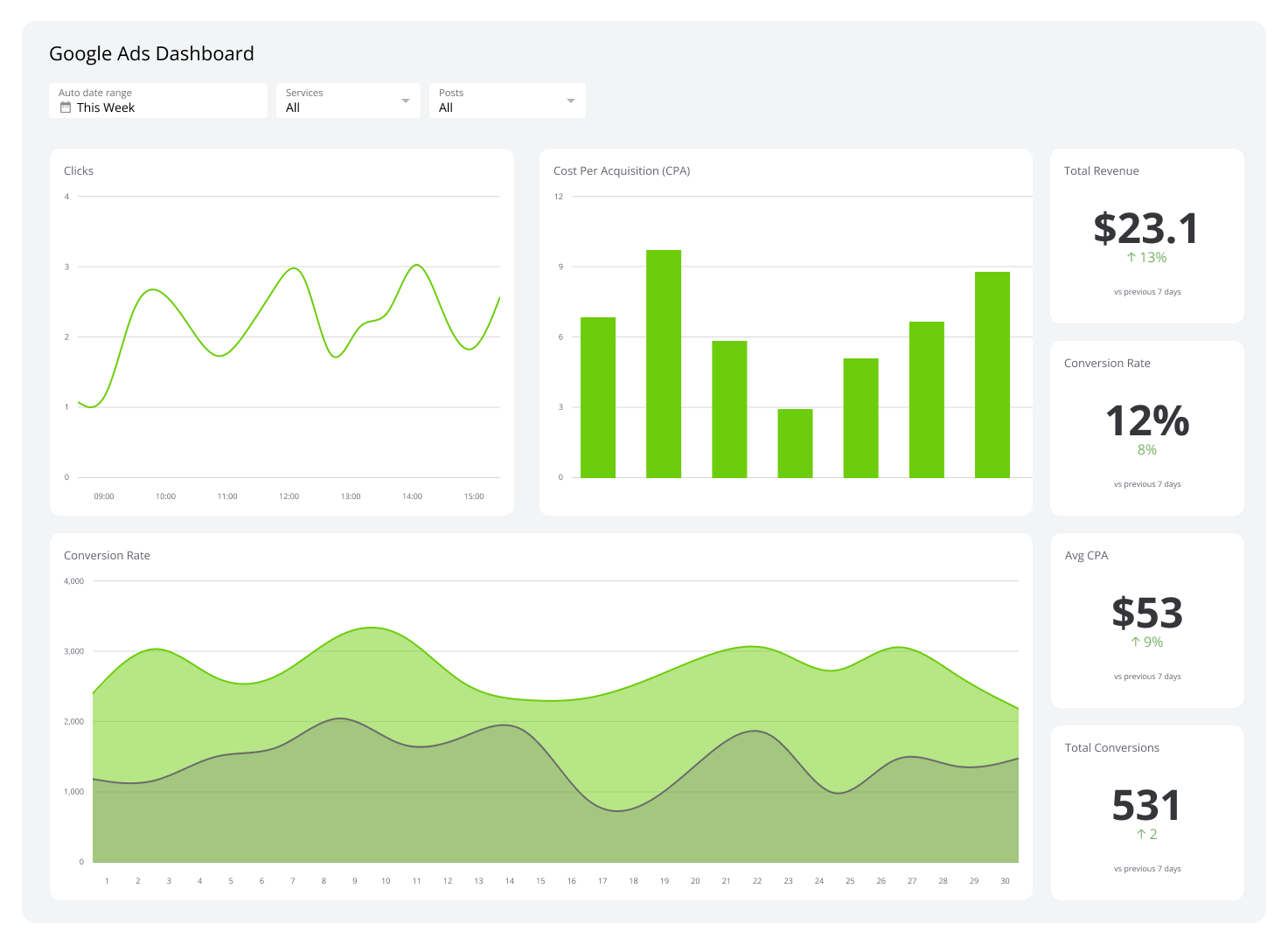
A Google Ads dashboard gathers and displays metrics like click-through rates and cost per click to track the performance of your Google-executed ad campaigns.
What is a Google Ads dashboard?
A Google Ads dashboard is a live view of your ad performance, pulling together impressions, clicks, conversions, and cost per conversion so you can see what's working without digging through reports.
Instead of pasting numbers into a spreadsheet or asking someone to pull a figure, you get a single, always-current view across campaigns, ad groups, and keywords. You can see where your budget is going, which campaigns are earning their spend, and where to act, without waiting for the end of the month.
Dashboards surface return on ad spend (ROAS), click-through rates (CTR), quality scores, and budget allocation trends in one place. The result: faster decisions, fewer surprises, and a clearer answer to whether your ad spend is actually driving growth.
Examples of Google Ads dashboards
Executive Google Ads dashboard
An executive Google Ads dashboard gives leaders a clear answer to one question: are campaigns delivering against business goals? It replaces the need to ask someone to pull a report or copy numbers from multiple platforms into a slide deck.
This dashboard shows ad performance across channels, devices, and geographies at a strategic level. It makes budget decisions easier by surfacing what's working and flagging what isn't, before it becomes a problem.
| Who's it for | Marketing executives, advertising managers, digital strategists, C-suite leaders |
|---|---|
| How often it's needed | Real-time, daily, weekly, monthly, quarterly |
| Covered KPIs | Total ad spend, click-through rate (CTR), cost per click (CPC), cost per acquisition (CPA), return on ad spend (ROAS), impressions, conversions, conversion rate, top-performing keywords, ad quality scores, audience engagement metrics, campaign performance by geographic location, device breakdown (desktop, mobile, tablet), bounce rate from ad traffic, ad frequency, average ad position, percentage of budget spent, video ad view rate, lifetime value (LTV) of ad-driven customers, impression share, ad relevance score, cost per impression (CPI), top-performing ad creatives, peak engagement times, percentage of conversions by ad type |
Google Ads campaign performance overview dashboard
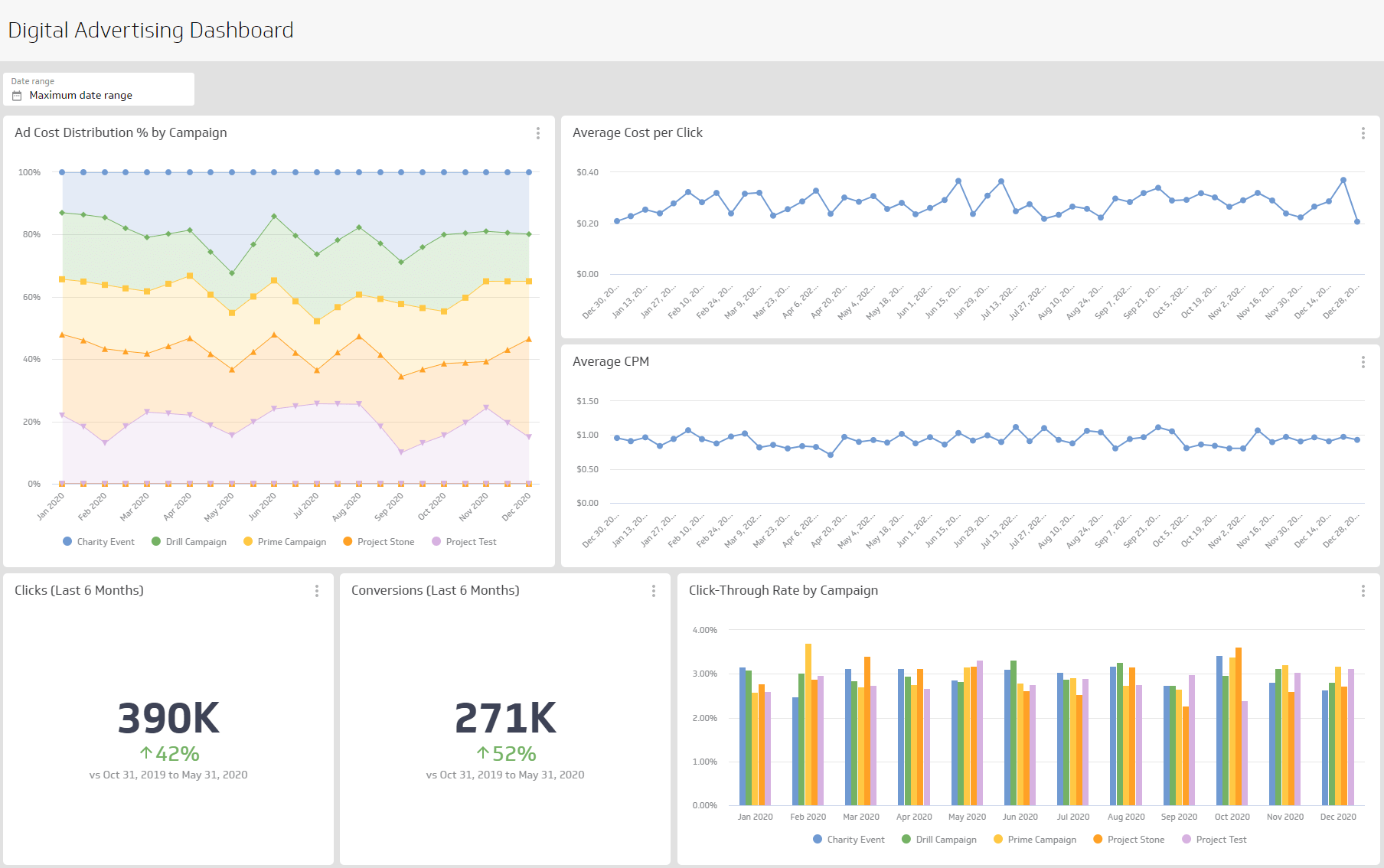
A campaign performance overview dashboard tracks individual campaigns and tells you, at a glance, whether each one is doing its job. Metrics like impressions, clicks, CTR, CPC, and conversion rates show how each campaign performs against its objectives.
With live data, you can adjust ad copy, keywords, or targeting without waiting for a weekly report. Underperforming campaigns surface quickly, so you spend less time guessing and more time acting on what the numbers actually say.
| Who's it for | Marketing managers, digital advertisers, campaign strategists, executives |
|---|---|
| How often it's needed | Real-time, daily, weekly, monthly, quarterly |
| Covered KPIs | Conversions, total ad spend, bounce rate from ad traffic, audience reach, cost per acquisition (CPA), click-through rate (CTR), ad quality score, top-performing keywords, campaign ROI, video ad view rates, return on ad spend (ROAS), impressions, ad engagement rate by device type, frequency of ad views, demographic breakdown of ad engagement, cost per click (CPC), ad placement performance (search vs. display network), budget utilization percentage, conversion value, average position of ads, impression share, conversion rate by demographic, number of new leads generated, campaign performance over time |
Create custom dashboards for you and your team.
Get started with KlipsGoogle Ads performance dashboard
A Google Ads performance dashboard focuses on ad performance metrics at the individual ad level, not the campaign level. It gives you the granular view you need to know exactly which ads are earning their spend and which ones need to change.
Unlike the campaign performance overview dashboard, which examines broader campaign data, this dashboard shows you what's happening inside each ad. It highlights underperforming ads and tells you when to adjust copy, targeting, or bidding, so you're not leaving money on the table.
| Who's it for | Digital marketers, campaign managers, ad strategists, executives |
|---|---|
| How often it's needed | Real-time, daily, weekly, monthly, quarterly |
| Covered KPIs | Ad spend, cost per acquisition (CPA), impressions, click-through rate (CTR), bounce rate from ad traffic, campaign performance trends over time, return on ad spend (ROAS), total number of clicks, ad engagement by device type, conversion value, ad placement performance (search vs. display network), top-performing keywords, competitor impression share analysis, conversion rate, audience reach, frequency of ad views, video view rates, demographic breakdown of ad engagement, budget utilization rate, ad quality score, cost per click (CPC), number of new leads generated, ad engagement by geographic region, impression share, effectiveness of remarketing campaigns, landing page performance, ad viewability rate, share of voice (SOV) in the market, percentage of conversions from first-time visitors, cross-channel attribution metrics, ad scheduling performance, lifetime value of customers acquired through ads, time-lag to conversion, ad fatigue analysis, percentage of conversions from mobile devices, split-testing (A/B) results for ad variants |
Google Ads keyword analysis dashboard
A keyword analysis dashboard shows how each keyword drives traffic, clicks, and conversions, so you know which ones are worth your budget and which ones are quietly draining it.
Where campaign dashboards show the broad picture, this one goes deep into keyword-specific data. It surfaces underperforming keywords and identifies opportunities to sharpen targeting, so bid adjustments are based on evidence, not intuition.
| Who's it for | Digital marketers, SEO specialists, campaign managers, content strategists, executives |
|---|---|
| How often it's needed | Real-time, daily, weekly, monthly, quarterly |
| Covered KPIs | Top-performing keywords, keyword quality scores, cost per click (CPC) by keyword, keyword match type performance, conversion rates for specific keywords, impressions by keyword, click-through rate (CTR) by keyword, search volume trends for targeted keywords, keyword competition level, negative keyword impact, keyword relevance scores, return on ad spend (ROAS) by keyword, keyword ranking changes over time, percentage of budget spent on top-performing keywords, cost per conversion by keyword, keyword performance by geographic location, bounce rate for traffic driven by specific keywords, keyword performance segmented by device, ad spend distribution across keyword groups, impression share of targeted keywords, long-tail keyword effectiveness, performance of branded vs. non-branded keywords |
Facebook Ads + Google Ads dashboard
A Facebook Ads and Google Ads dashboard puts both platforms side by side so you can see, with confidence, where your ad budget is actually working harder.
Comparing impressions, video views, cost per conversion, and audience reach across platforms reveals differences in engagement, spend efficiency, and conversion paths. You stop guessing which platform to prioritize and start allocating budget based on what the numbers show.
| Who's it for | Digital marketers, advertising managers, campaign analysts, media buyers, business owners |
|---|---|
| How often it's needed | Real-time, daily, weekly, monthly, quarterly |
| Covered KPIs | Total ad spend, click-through rate (CTR), cost per click (CPC), return on ad spend (ROAS), total conversions, conversion rate, cost per acquisition (CPA), impressions, reach, ad frequency, campaign performance by device, geographic performance breakdown, audience demographic insights, ad placement performance (Facebook vs. Google), keyword performance, ad relevance scores, bounce rate, quality score, engagement rate (likes, comments, shares), cost per thousand impressions (CPM), total budget allocation, ad creative performance (image vs. video), lead generation volume, cost per lead (CPL), search term performance, conversion by ad group, impression share across both platforms |
Google Ads peak hours dashboard
A peak hours dashboard shows when your ads perform best, by hour, day, region, and audience segment, so you can focus budget on the times that actually convert.
This is the dashboard that answers "when should we be bidding more?" without requiring manual analysis. It contrasts peak and off-peak performance, surfaces patterns across campaigns, and gives you the confidence to schedule ads around what the data shows, not what you assume.
| Who's it for | Digital marketers, campaign managers, paid search analysts, business owners |
|---|---|
| How often it's needed | Real-time, daily, weekly, monthly |
| Covered KPIs | Ad performance by time of day, click-through rate (CTR) by hour, cost per click (CPC) by time, conversion rate by time of day, total ad spend during peak hours, return on ad spend (ROAS) by hour, number of conversions by hour, impressions by time of day, quality score by time slot, average position during peak hours, ad impressions by device, bounce rate during peak hours, cost per conversion by time, search term performance by time of day, cost per thousand impressions (CPM) by peak times, geographical performance during peak hours, audience demographics engagement during peak times |
Google Ads monthly breakdown dashboard
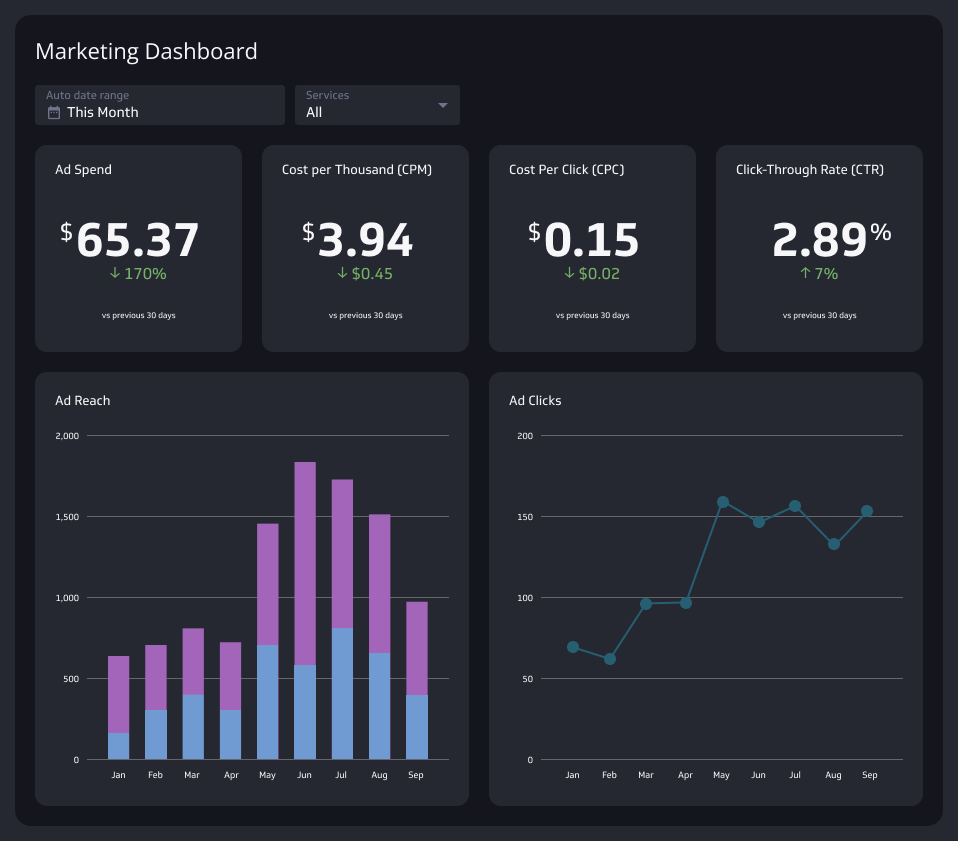
A monthly breakdown dashboard organizes ad performance month by month, so you can see how spend, clicks, conversions, and CTR shift over time and make decisions grounded in a full picture, not just last week's numbers.
It connects campaign performance to seasonal patterns, promotional windows, and audience behaviour changes. Budget forecasting becomes more reliable, and underperforming months become visible early, not after the fact.
| Who's it for | Digital marketers, campaign managers, business owners, analysts |
|---|---|
| How often it's needed | Monthly |
| Covered KPIs | Click-through rate (CTR), total clicks, total ad spend, return on ad spend (ROAS), cost per click (CPC), cost per thousand impressions (CPM), conversion rate, impressions by device, top-performing ads, cost per conversion, geographical performance, ad group performance, impressions by location, audience engagement metrics, ad schedule performance, budget allocation by campaign, search term performance, quality score, campaign performance by keyword, total impressions, clicks by device, conversions by device, budget pacing |
Create custom dashboards for you and your team.
Get started with KlipsBuild a Google Ads dashboard that works for your team
A Google Ads Dashboard gives you reliable, consistent numbers across every campaign, without pasting data into a spreadsheet or explaining your account structure to a generic AI tool from scratch each time.
Klipfolio connects directly to Google Ads and updates automatically, so the numbers your team sees are always current. You get a customizable dashboard built around the metrics that matter to your business, distributed to the right people, and ready to act on. Try Klipfolio free today.