Customer Service Dashboard
Customer service dashboards give you real-time visibility into support tickets, agent performance, and customer interactions, so managers can spot and fix service issues before they escalate.
What is a customer service dashboard?
A customer service dashboard gives you real-time visibility into support tickets, agent performance, and customer interactions across every channel. It helps managers spot and resolve service issues before they escalate, so your team spends less time reacting and more time delivering good experiences.
Tracking metrics like response times and resolution rates tells you where things are breaking down and what to fix first. The payoff: faster responses, better resource decisions, and customers who feel like they're being heard.
Ticket Volume by Channel Dashboard
The Ticket Volume by Channel Dashboard shows how many inquiries are coming in through email, chat, phone, social media, and self-service, and when those volumes peak. If you're not sure where to staff up or where your team is stretched thin, this is the dashboard that tells you.
When you can see which channels are busiest and at what times, you stop guessing about coverage. If chat volume spikes every evening, you know to add evening support or improve your chatbot, rather than finding out after customers have already waited too long.
Who's it for
Customer service teams, product managers, team leaders
How often it's needed
Daily, weekly, monthly
Covered KPIs
Ticket volume by channel, peak hour traffic, ticket volume trends over time, response times per channel, channel preference distribution
Multi-channel Support Dashboard
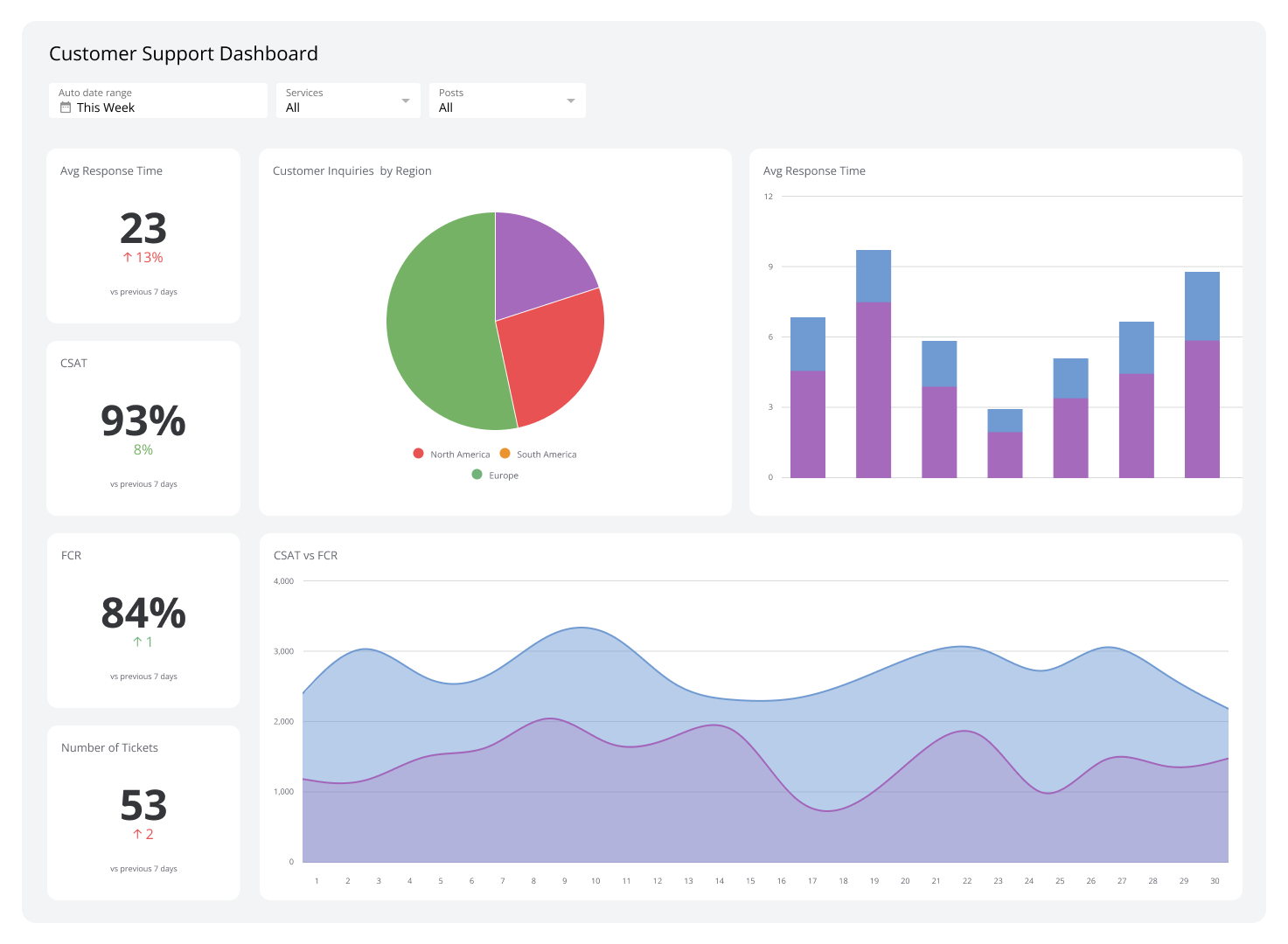
The Multi-channel Support Dashboard shows how your support operation is performing across chat, phone, email, and self-help, all in one place. Support managers use it to find bottlenecks, allocate resources, and keep service quality consistent regardless of which channel a customer chooses.
You might discover that email response times are creeping up, or that customers are abandoning live chats before getting help. Seeing that clearly, without digging through separate reports, is what lets you act on it.
Who's it for
Customer support managers, team leaders, chief operating officers (COOs), operations analysts
How often it's needed
Daily, weekly, monthly, quarterly
Covered KPIs
Time from inquiry to response, average handle time, customer satisfaction scores (CSAT), net promoter score (NPS), ticket volume per channel, resolution rate, channel preference, cost per contact, agent productivity, self-service success rate
Call Center Dashboard
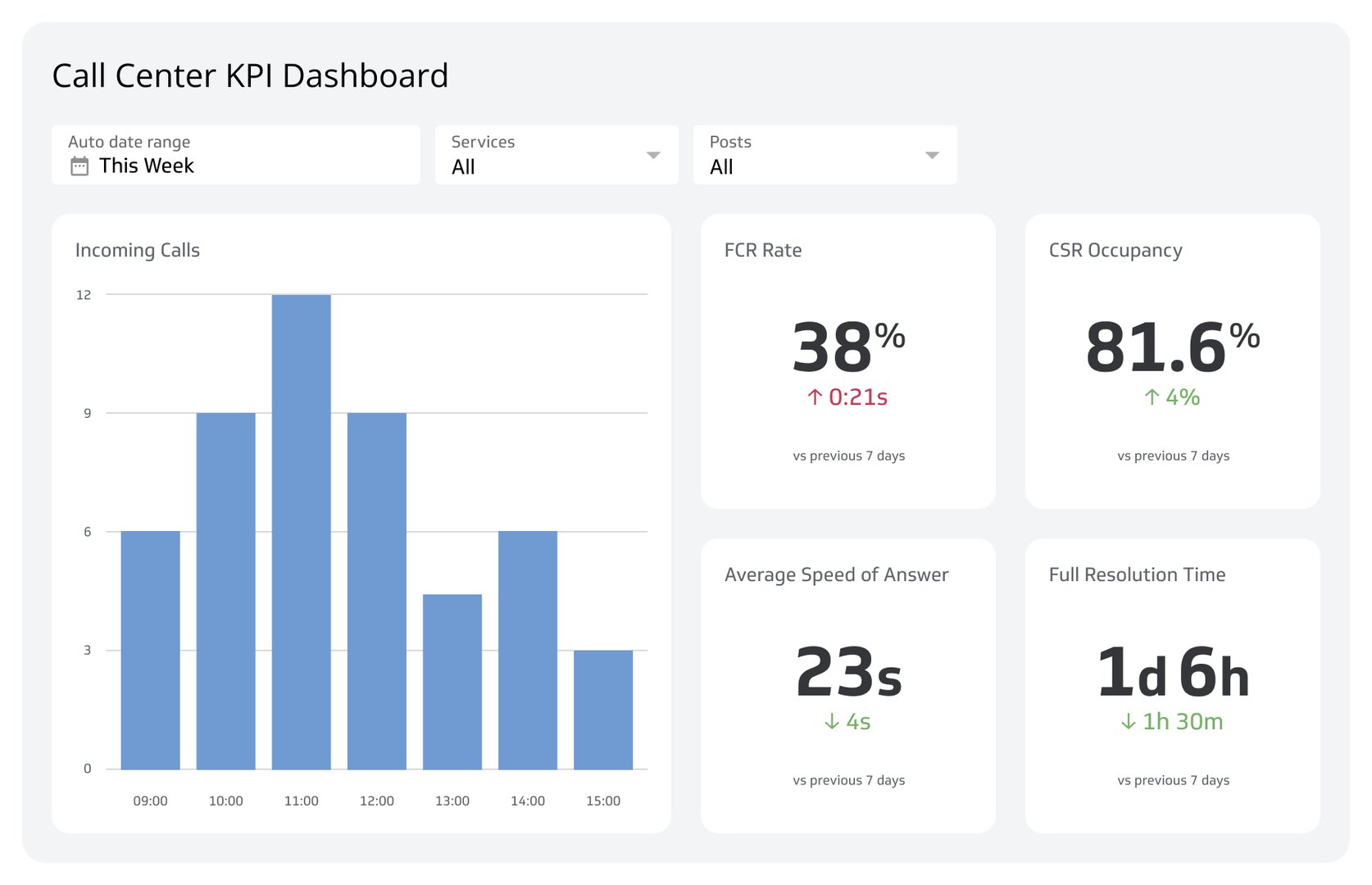
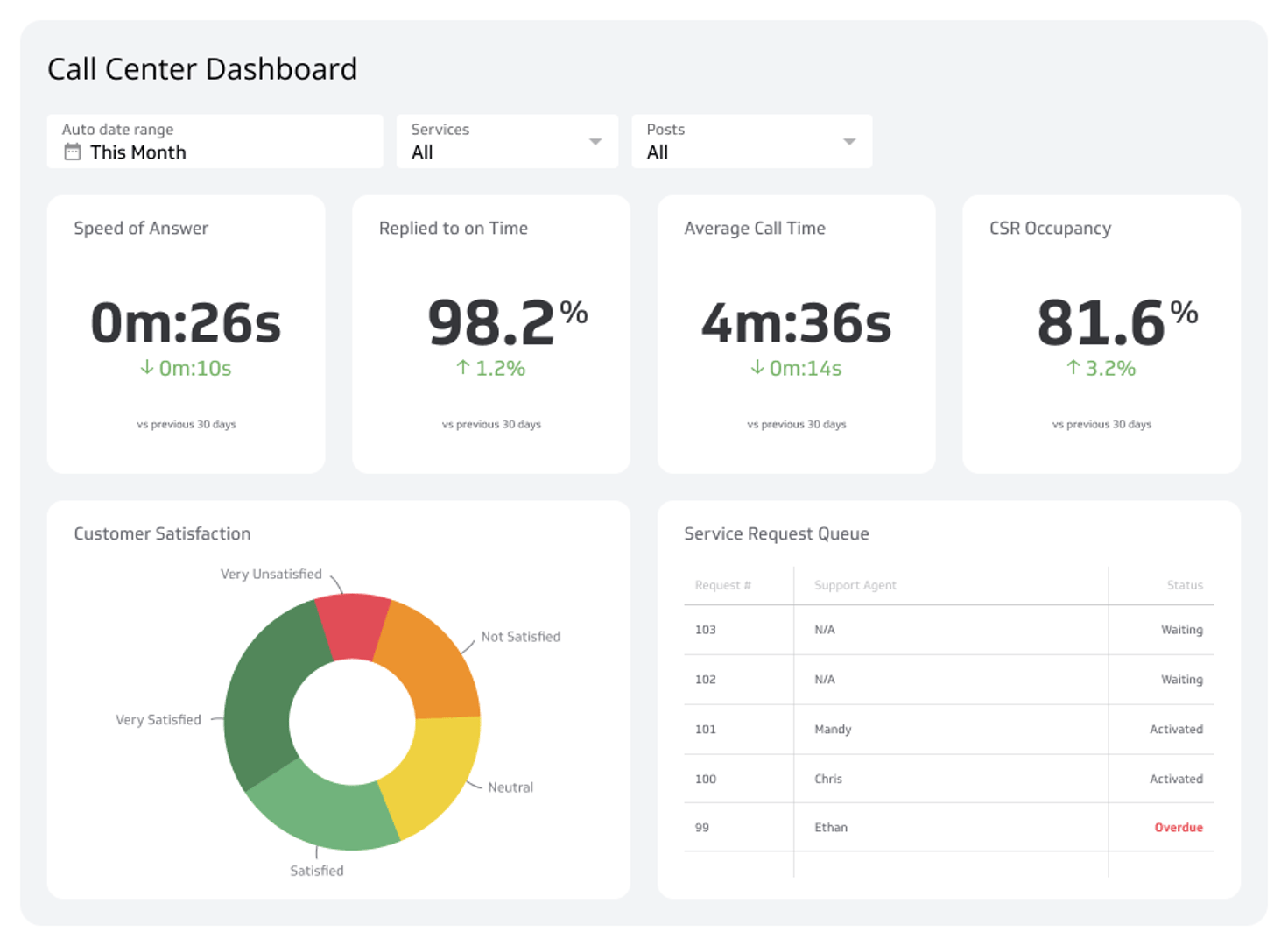
A call center dashboard surfaces real-time metrics like call volume, wait times, and CSAT scores. Team leaders use it to catch unexpected call surges, extended hold times, and agent performance issues the moment they appear, not at the end of the day.
When you can see what's happening live, you can act on it live. That's the difference between managing a call center and just reviewing what happened after the fact.
Who's it for
Call center managers, team leaders, customer service representatives, operations analysts
How often it's needed
Real-time, daily, weekly, monthly
Covered KPIs
Call volume, CSAT score, average handle time, call resolution, call abandonment, service level, CSR occupancy rate, speed of answer, customer effort score
Create custom dashboards for you and your team.
Get started with KlipsCustomer Satisfaction Dashboard
The Customer Satisfaction Dashboard helps you track how customers feel about your support, and whether that's trending up or down. Managers use it to identify what's working, respond quickly to negative feedback, and give agents a clear picture of their own impact.
Knowing your CSAT score is one thing. Knowing which agent, channel, or issue type is dragging it down is what actually lets you do something about it.
Who's it for
Customer service managers, team leaders, front-line customer service agents, customer experience analysts
How often it's needed
Real-time, daily, weekly, monthly
Covered KPIs
CSAT, NPS, customer effort score (CES), first contact resolution rate, average response time, customer retention rate, sentiment analysis, agent performance, channel-specific satisfaction ratings, customer feedback themes or categories
Customer Retention Dashboard
A customer retention dashboard tracks the metrics that tell you whether customers are staying, growing, or leaving. Churn rate, Customer Lifetime Value, and Net Revenue Retention give you an early warning system, so you can act before a retention problem becomes a revenue problem.
The goal isn't just to monitor these numbers. It's to understand what's driving them, whether that's a gap in onboarding, a product issue, or a customer segment that needs more attention.
Who's it for
Customer success managers, sales directors, marketing executives, product managers, executives
How often it's needed
Daily, weekly, monthly, quarterly
Covered KPIs
Customer churn rate, customer lifetime value (CLV), net revenue retention (NRR), saved revenue, customer health score, renewal rate, upsell and cross-sell revenue, customer engagement score, NPS, average revenue per user (ARPU)
Customer Experience Dashboard
The Customer Experience Dashboard brings together data on how customers feel and how they interact with your product or service. CX teams use it to spot friction, identify where expectations aren't being met, and prioritize improvements that actually move satisfaction scores.
These dashboards typically connect to CRMs like Zendesk and Salesforce, so the data is already where your team works, not locked in a separate report you have to remember to run.
Who's it for
Customer experience (CX) teams, customer service managers, product teams, product managers, executives
How often it's needed
Real-time, daily, weekly, monthly
Covered KPIs
NPS, average response time, first contact resolution rate, total number of tickets, new users added, reports added, product engagement metrics
Self-service Analytics Dashboard
The Self-service Analytics Dashboard tracks how customers use knowledge bases, FAQs, and chatbots. It shows which resources are actually helping customers resolve issues on their own, and which ones are sending them straight to a live agent anyway.
If a significant portion of customers are escalating after hitting your self-service options, that's a signal worth acting on, whether it means improving content, redesigning the flow, or adding coverage for a topic that's clearly missing.
Who's it for
Customer experience managers, product managers, UX/UI designers, customer support team leaders, self-service content creators
How often it's needed
Daily, weekly, monthly
Covered KPIs
Self-service usage rate, successful resolution rate, time to resolve complaints, user satisfaction scores, deflection rate, most frequently accessed resources, search query analysis, shopping carts abandoned, escalation rate to live support, cost savings from self-service
Get everyone on the same page with a Customer Service Dashboard
When your support data lives in separate tools, decisions get delayed. Someone has to pull the numbers, paste them somewhere, and hope the context holds. A customer service dashboard replaces that with one reliable, real-time view your whole team can act on.
Klipfolio's customer service dashboards connect to your support platforms, aggregate the metrics that matter, and surface them in a format that's ready to share, whether that's a screen in your office, a scheduled report, or a live view for your leadership team.
Start your free trial today, no credit card required.